FIRST is almost never a DLP license. Identify the information and the asset, have the owner classify them, write handling that follows the label, then protect the data in each state — at rest, in transit, in use. Retention is keep-as-required (law, contract, mission). A legal hold suspends destruction. When the clock ends, sanitize for remanence: Clear, Purge, or Destroy (NIST SP 800-88). The custodian implements. The processor only does what the controller instructs. Residual risk and exceptions stay with the owner, not with security-by-default.
I do not protect “data.” I protect a classified asset, in a named state, for a named owner, until a named retention clock — or a legal hold — says stop.
1. Why classification comes before the tool
Interview, 35 minutes in. “Payroll just exported last year’s files to a new SaaS HR tool. What does the security professional do first?” The engineer answers “turn on CASB and DLP.” Those are protection methods the outline names later (objective 2.6). They are not first.
ISC2 Domain 2 — Asset Security — is listed at 10% on the official April 2024 exam outline. That is the only exam percentage this page uses. The outline is asking whether you can identify and classify information and assets, provision them with an owner and an inventory, handle them, keep them for the right time, and pick controls that match the state of the data.
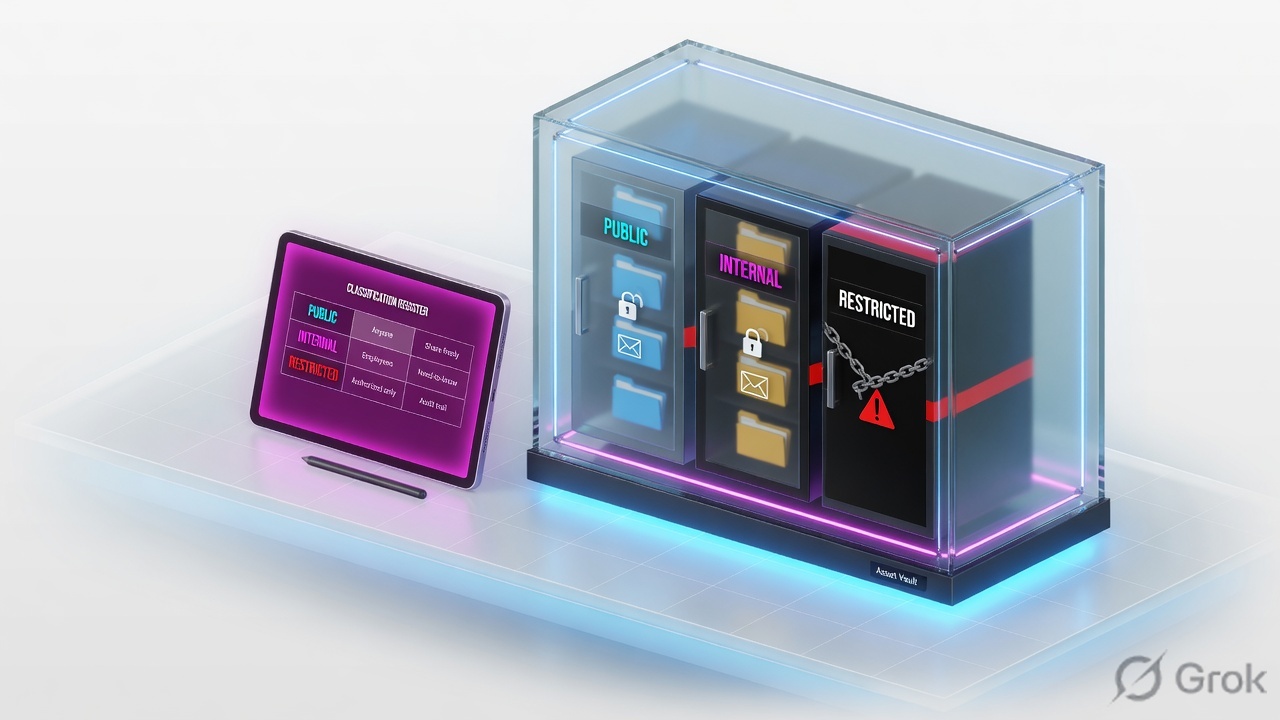
Three reasons this domain fails people who are otherwise strong operators:
- FIRST / BEST are sequencing words. Classify and assign an owner before you buy a control. Handling follows the label.
- Accountability does not delegate. The custodian runs backups. The processor hosts the SaaS. The owner still classifies and still accepts residual risk.
- Delete is not destroy. Remanence is why “I emptied the Recycle Bin” is not a Domain 2 answer. Media type and classification pick the sanitization method.
Classification — assigning a protection level from value, sensitivity, and impact if C, I, or A fails. Data classification and asset classification are both in objective 2.1.
Owner — business role accountable for the asset. Classifies it, approves access, accepts residual risk. Security advises; security is not the default owner.
Custodian — technical role that implements the owner’s decisions: backups, ACLs, encryption, sanitization jobs.
Controller / processor — privacy-law pair. The controller determines purposes and means of processing personal data. The processor processes on the controller’s documented instructions (GDPR Article 4, which Domain 1 already names as a privacy example).
Handling — how the classified thing is marked, stored, transported, shared, and disposed. Objective 2.2. A label with no handling rule is a sticker.
Retention — how long to keep the information or the asset (including End of Life and End of Support). Keep what law, contract, or mission requires — not “forever, just in case.”
Remanence — data that remains after ordinary deletion or reuse. The reason sanitization exists.
Data states — at rest, in transit, in use (objective 2.6). One file can be in more than one state in the same hour.
2. Mental model · labels, roles, lifecycle
Hold three parts. Interviews fail when people treat classification as a government-only hobby, treat “owner” as the CISO, or treat the lifecycle as “backup then hope.”
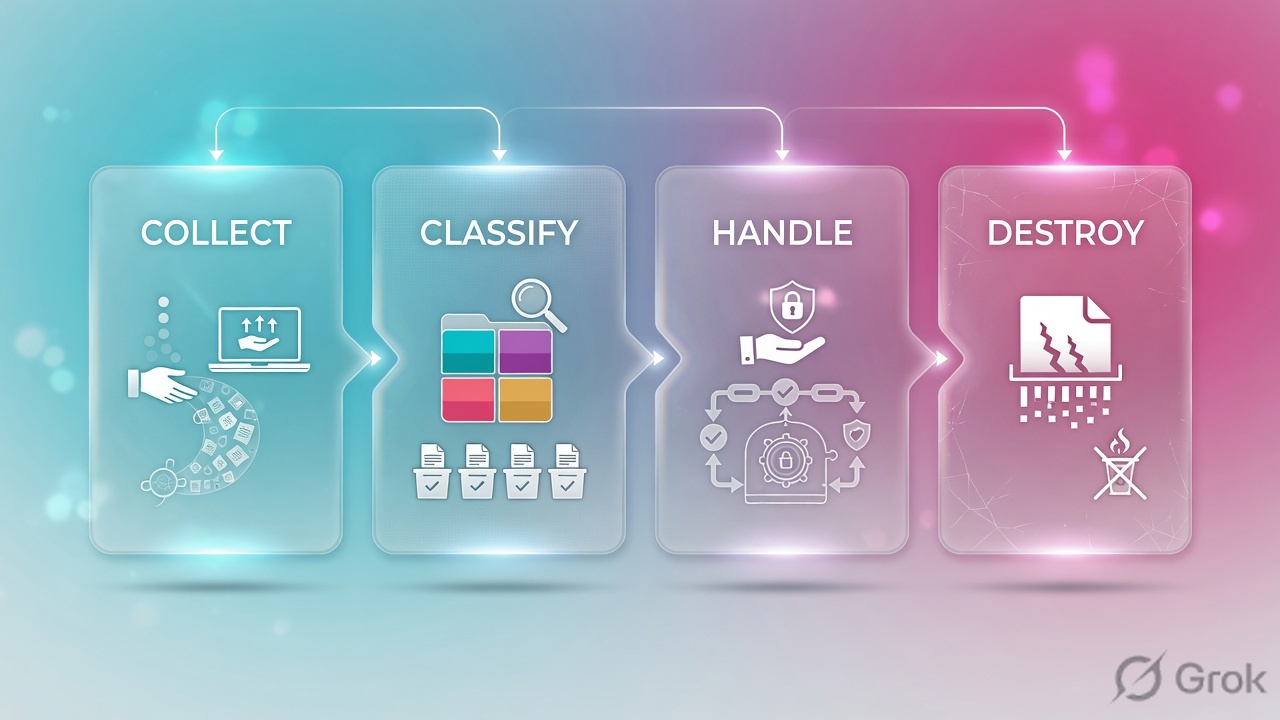
Part 1 · two classifications, one idea
Objective 2.1 splits data classification and asset classification. Same judgment, different object. Data is the information (payroll file, model weights, source code). The asset is the container or capability (laptop, SaaS tenant, encryption key, brand, trained model). An unclassified laptop that holds Restricted payroll is a handling failure, not a hardware mystery.
Commercial shops typically use a short ladder such as Public → Internal → Confidential / Restricted. Government and many contractors use Unclassified / CUI → Confidential → Secret → Top Secret. The names are local. The rule is not: the owner sets the label from impact, and handling follows the label. Do not invent a “correct” four-word scheme for every firm — use the scheme the stem already lives in.
When the scenario is a U.S. federal system, FIPS 199 categorizes information and systems by potential impact — Low, Moderate, High — independently for confidentiality, integrity, and availability. The system’s overall category is the high-water mark of those three. That categorization then drives the control baseline you will later scope and tailor (objective 2.6).
Data classification
What is the information worth if leaked, changed, or missing? Owner decides. Examples: customer PAN, source code, public blog draft.
Asset classification
What is the thing that stores, processes, or is the information? Laptop, SaaS tenant, HSM, trained model, even a paper archive. Inventory it (2.3) as tangible or intangible.
Handling follows the label
Marking, labeled media, locked storage, approved channels, escort rules, who can print, who can email outside. A Restricted file in a Public share is a handling break.
Provision with an owner
Objective 2.3: ownership, inventory, asset management. No unnamed “shared drive.” No orphan SaaS. Intangible assets (licenses, keys, models, brand) belong on the same inventory as laptops.
Part 2 · five roles, not two nicknames
Objective 2.4 lists the roles in this order: owners, controllers, custodians, processors, users/subjects. Owner and custodian are the classic CBK pair. Controller and processor are the privacy-law pair. Users use the data. Subjects are the people the personal data is about. Do not collapse all five into “IT.”
| Role | Decides / does | Does not |
|---|---|---|
| Owner | Classifies, approves access, sets handling and retention intent, accepts residual risk. | Does not have to configure the ACL. Accountability does not move when the work is delegated. |
| Controller | Determines the purposes and means of processing personal data (GDPR Art. 4). Often the same organization as the owner, but it is a legal role. | Cannot hide behind “the cloud vendor decided.” |
| Custodian | Implements: backups, encryption, access controls, media sanitization, inventory hygiene. | Does not reclassify Restricted to Internal so the ticket is easier. |
| Processor | Processes personal data on documented instructions of the controller. Typical SaaS / payroll / email host. | Does not set purposes. After the job, return or delete unless law says keep (GDPR recital / Art. 28 logic). |
| User / subject | User: handles data per the label. Subject: the person the personal data describes — rights attach here. | A user is not the owner because they created a file. A subject is not a processor. |
Do not make the CISO the owner of every dataset. Security advises and implements. The business owner of payroll, or of the loan book, classifies. If nobody will claim ownership, stop provisioning — that is a 2.3 failure, not a reason for security to volunteer.
Part 3 · the lifecycle is a clock, not a slogan
Objective 2.4 walks the data: collection → location → maintenance → retention → remanence → destruction. Objective 2.5 adds asset retention: End of Life and End of Support. A vendor that stopped patching a scanner is an asset-retention problem even if the files on it are still inside their data-retention window.
Read left → right. Magenta border = remanence is the trap most engineers skip. Green = sanitization is a method, not a feeling.
The owner classifies. The custodian implements. The controller sets purpose. The processor follows instructions. Users handle the label. Subjects have rights. Delete is not Destroy.
3. Decision flow · handle, retain, or destroy
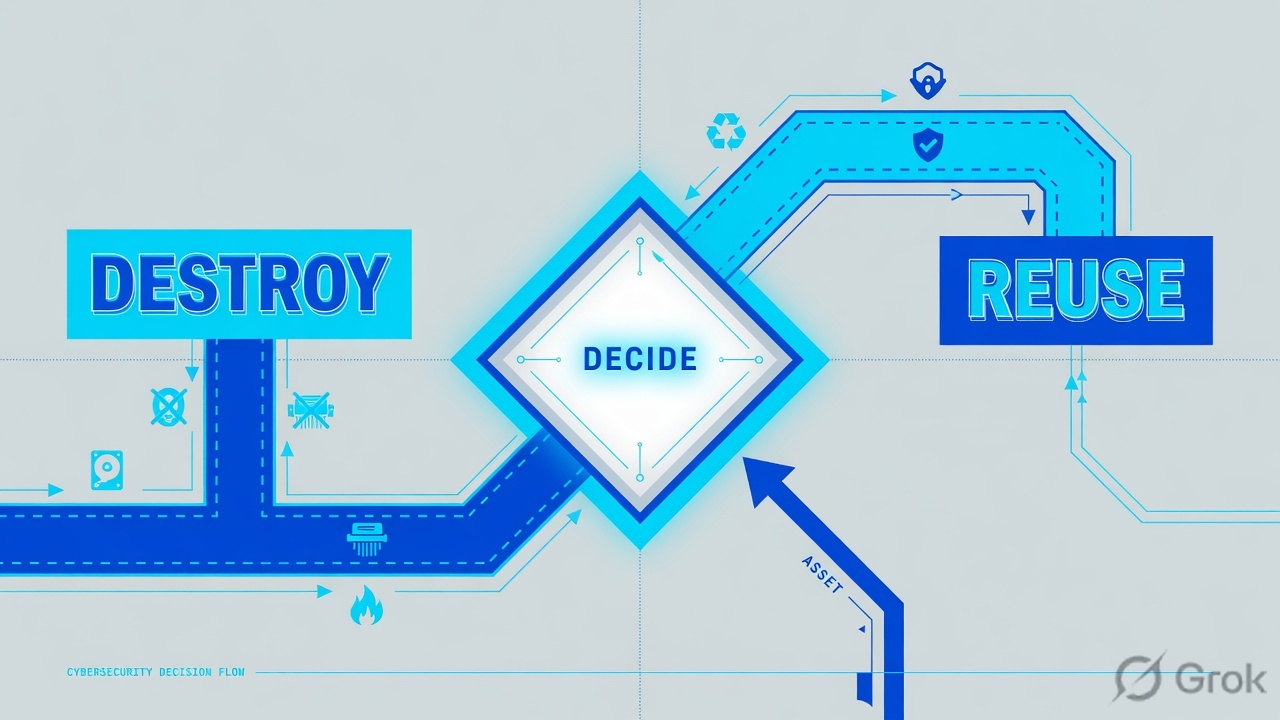
Read top → bottom. Diamond = decision. Legal hold and statutory retention beat the recycle ticket. Method (Clear / Purge / Destroy) is chosen from classification + media type, not from habit.
Collection without a purpose, or a location that ignores residency, is already a 2.4 miss — even if encryption is perfect. Indian teams will also hit the Digital Personal Data Protection Act, 2023 on location and purpose; the official CISSP outline’s named privacy example in Domain 1 is GDPR (plus CCPA, PIPL, POPIA). Apply the law the data subjects actually trigger. Do not invent a “this statute is X% of Domain 2.”
4. How to choose labels, states, and methods
Use the tables. Classification picks handling. State picks the control family. Media type plus classification picks sanitization. Standards selection plus scoping and tailoring (2.6) pick which controls, not “every control in the catalog.”
| If the ticket looks like… | Manager move | Who signs |
|---|---|---|
| New SaaS, new export, new AI training set. | Identify the information, name the owner, classify, then pick handling and location. | Owner. Security does not become owner by opening a PO. |
| “Just make it Internal so we can email it.” | Reclassification is an owner decision with a recorded reason — not a helpdesk convenience. | Owner. Custodian refuses the silent downgrade. |
| Retention calendar says delete; counsel says hold. | Legal hold wins. Freeze destruction until the hold is released in writing. | Counsel + owner. Custodian executes the freeze. |
| Vendor announced End of Support on a scanner that still reads cheques. | Asset retention (2.5). Treat as risk: replace, isolate, or accept with a dated exception. | Asset owner. “It still boots” is not a treatment. |
| Reuse SSDs that held Restricted customer files. | Sanitize to the method the classification requires. Degaussing is a magnetic-media technique — do not assume it on flash. | Owner accepts residual remanence risk if any. Keep the certificate. |
| Data state (2.6) | What it is | Typical control family |
|---|---|---|
| At rest | Stored on disk, object store, backup, tape, phone, paper archive. | Access control, encryption at rest, key custody, physical media control, backup encryption. |
| In transit | Moving across a network, API, email, courier, or sneakernet. | TLS, IPsec, trusted channels, approved couriers, no public pastebins. |
| In use | Open in an app, in memory, on a screen, in a model’s context window. | Need-to-know, endpoint control, DRM, session lock, confidential computing / memory protection where the stem requires it. |
Read left → right. Outline 2.6 names DRM, DLP, and CASB as example protection methods — pick the one that matches the state and the channel, not all three as a reflex.
Clear, Purge, Destroy — official NIST language
Primary source: NIST SP 800-88 Rev. 2, Guidelines for Media Sanitization (September 2025; supersedes Rev. 1). Sanitization renders access to target data infeasible for a given level of effort. Method selection follows the sensitivity of the information. The well-known three methods — still the CBK set — are:
Clear   — logical techniques on user-addressable space (e.g. overwrite).
          Protects against simple, keyboard-level recovery. Media reusable.
Purge   — stronger techniques (block erase, cryptographic erase, and for
          some magnetic media degaussing) so laboratory recovery is infeasible.
          Media often reusable. Prefer when feasible for sensitive data.
Destroy — physical techniques so recovery is infeasible and the media
          cannot store data again (shred, pulverize, incinerate, etc.).
Cryptographic erase is a named 800-88 technique: destroy or render unrecoverable the keys that wrap the data. It only works if the data was encrypted with those keys before you started. Formatting a volume, emptying Trash, or degaussing an SSD “because that is what we did to HDDs” is not a method — it is a remanence gift.
Objective 2.6: pick a standard (NIST, ISO, PCI — whichever the system already lives in), take the baseline that matches categorization, then scope (which controls can apply here) and tailor (add, remove, compensate, set parameters — and document why). NIST SP 800-53B is the official tailoring home for 800-53 baselines. Copying the entire catalog onto a wiki is not selection.
5. Runbook · Side A classify, B protect, C prove
This is not a vendor console path. It is the Domain 2 operating path you walk on a new dataset, a new SaaS, a departing laptop, or an End-of-Support scanner. Each side cites one primary source.
Side A · identify, own, classify (due diligence on the asset)
Primary source: ISC2 outline 2.1–2.3 and FIPS 199 (when the stem is a federal-style categorization).
-
Name the information and the asset
What is at risk — file, database, model, paper archive, laptop, SaaS tenant, key? Tangible and intangible both go on the inventory (2.3). If it is not on the inventory, you cannot handle it.
-
Name the owner — stop if you cannot
Who in the business will classify this and accept residual risk? Security, the processor, and the helpdesk are not default owners. No owner → do not provision.
-
Classify data and asset
Owner assigns the label from impact to C, I, and A. Use the scheme the organization (or the stem) already has. For a federal system, record Low / Moderate / High per FIPS 199 and take the high-water mark.
-
Record location and purpose
Where may this live? Which region, which processor, which purpose? Collection without purpose, or a copy in a forbidden region, is already a 2.4 miss. GDPR (and any other law the subjects trigger) binds the controller, not the DLP dashboard.
Side B · handle and protect by state
Primary source: ISC2 outline 2.2 and 2.6 (handling requirements; data states; DRM / DLP / CASB as named methods).
-
Write handling that the label can enforce
Marking and labeling, who may store it where, who may print, which channel may leave the firm, how media travels. A Restricted label with a Public share is not a DLP problem yet — it is a handling-policy problem.
-
Protect each state the data will actually enter
At rest: encryption and access control. In transit: TLS or another approved channel. In use: need-to-know, DRM, session lock. One payroll file on a laptop is often all three in the same afternoon.
-
Pick the method that matches the channel
DLP watches data leaving a path. CASB sees the cloud / SaaS copy. DRM follows the file after it is opened. Buying all three because the stem said “sensitive” is not standards selection.
-
Scope and tailor the baseline
Select the standard the system lives in. Apply scoping (does this control even apply?). Tailor (compensate, parameterize, add). Write down why. A small internal wiki does not inherit a High baseline just because someone pasted 800-53.
Side C · retain, sanitize, prove
Primary source: ISC2 outline 2.4–2.5 and NIST SP 800-88 Rev. 2.
-
Set retention from law, contract, and mission — then honor holds
Keep what you must. Do not keep “just in case” past the policy. A legal hold freezes destruction until counsel releases it. Privacy minimization and statutory retention can pull in opposite directions — counsel plus the owner resolve that, not the backup admin.
-
Treat End of Life / End of Support as asset retention
When the vendor stops patching, the asset’s retention clock is ringing even if the files on it are still needed. Migrate, isolate, or accept with a dated owner signature. “It still scans” is not 2.5.
-
Sanitize for remanence, then certify
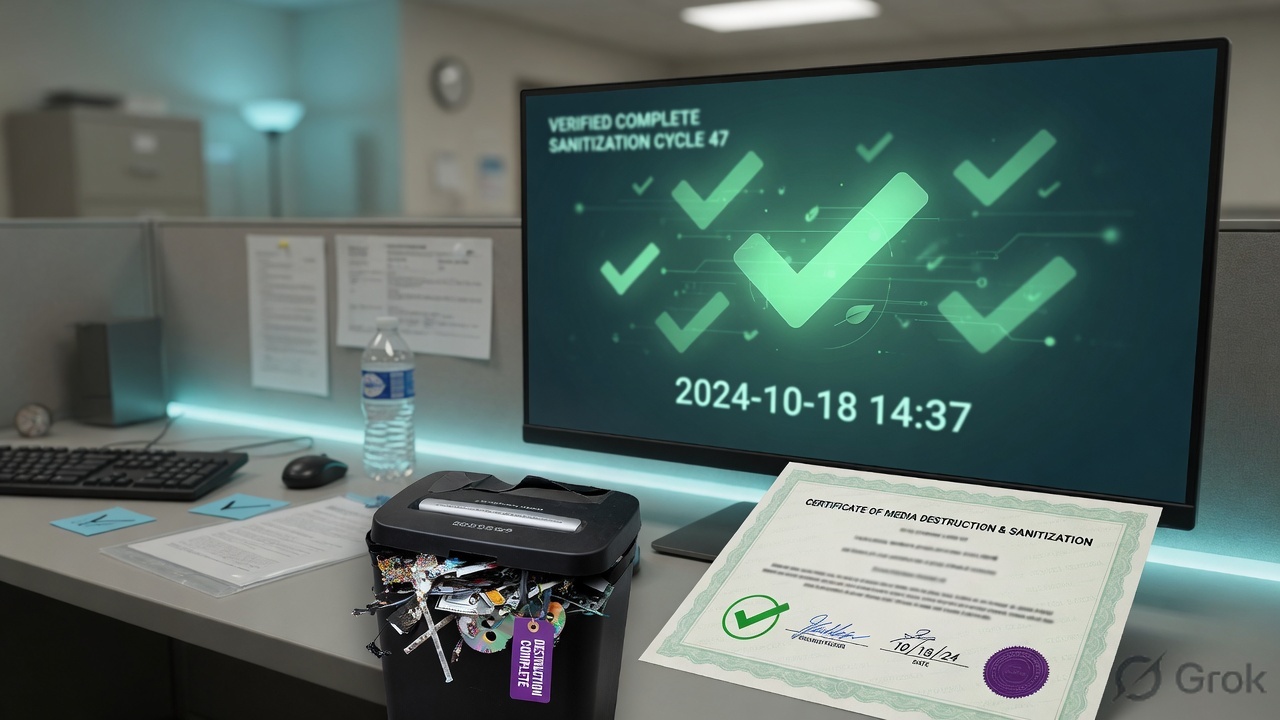
Choose Clear, Purge, or Destroy from classification + media type. Cryptographic erase only if the data was encrypted with recoverable-key destruction. Degauss magnetic media, not as a reflex on flash. Cloud copies you cannot physically shred often fall to crypto-shred plus contractual deletion — verify the processor actually did it.
-
Keep the evidence
Classification record, owner name, handling procedure, retention schedule, hold log, sanitization certificate, inventory update. NIST still publishes a sample certificate of sanitization. A Slack “wiped it” is not Domain 2 proof.
Asset and information are on the inventory. An owner is named. A label exists. Handling matches the label. Each live state has a control. Retention and any legal hold are written. When the clock ended, sanitization used a named method and left a certificate. The processor did not set the purpose.
6. Runtime path after the label is live
Classification is not a one-time sticker at go-live. New copies, new processors, new regions, a merger, or an End-of-Support notice send you back to Side A. Domain 1 already taught Authorize → Monitor; Domain 2 is what you monitor: labels that drifted, shares that went public, backups that outlived the policy, media that left without a certificate.
| After go-live you watch… | Because | Send back to |
|---|---|---|
| Shadow copies (personal Drive, Slack export, laptop image) | Location and handling broke silently. | Side A (inventory + owner) then B (state controls). |
| Processor adding a sub-processor or a new region | Controller still owns purpose and location. | Side A location + contract; do not “just enable CASB.” |
| Retention clock or legal hold | Destroy too early is spoliation; keep too late is a privacy and cost miss. | Side C. |
| Vendor EOS / hardware EOL | Objective 2.5. Unpatched assets are still assets. | Side C, then Domain 1 treatment if you will keep running it. |
| Reclassification request | Only the owner drops a label. Custodians execute the new handling. | Side A. Record the reason. |
7. Traps + proof checklist
| Stem pattern | What ISC2 is testing | Engineer trap | Manager move |
|---|---|---|---|
| What do you do FIRST? | 2.1 / 2.3 sequencing. | Buy DLP / CASB / a shredder. | Identify the asset, name the owner, classify. |
| Who decides the label or the access? | Ownership (2.3, 2.4). | CISO, admin, or processor decides. | Data / asset owner. Custodian implements. |
| SaaS / cloud copy | Controller vs processor; location. | “The vendor is the owner now.” | Controller still sets purpose. Processor follows instructions. CASB if you need visibility into that copy. |
| Laptop reuse / SSD / degauss | Remanence + 800-88 method. | Format, degauss flash, or skip the certificate. | Clear / Purge / Destroy from classification + media. Crypto-erase only if keys die. |
| Retention vs hold vs privacy delete | 2.4 retention vs legal process. | Always delete, or always keep forever. | Policy clock, unless a legal hold freezes it. Owner + counsel, not the backup admin. |
| Open file on screen / in a model | Data state: in use. | Quote disk encryption and stop. | At rest is done. In use needs need-to-know, DRM, session control. |
| Paste the whole control catalog | Scoping and tailoring (2.6). | More controls = more secure. | Select a standard, scope what applies, tailor and document. |
- I can classify one real file and one real laptop I have touched, and name the owner of each.
- I can say owner / custodian / controller / processor / user / subject without mixing them.
- I can pick a handling rule from a label without naming a product first.
- I can put the same file in at rest, in transit, and in use and name one control each.
- I can say when a legal hold beats a retention calendar.
- I can choose Clear, Purge, or Destroy and say why degaussing an SSD is the trap.
- I did not quote a made-up “classification is X% of Domain 2.” Domain 2’s official weight is 10% of the whole exam — that is the only percentage this page uses.
Weak: “Domain 2 is classify data and use DLP.” Strong: “I do not protect ‘data.’ I protect a classified asset for a named owner. Handling follows the label. The custodian implements; the processor does not set purpose. Retention is a clock plus legal hold. Destroy is a NIST method, not emptying Trash. Controls match the state — at rest, in transit, in use — after I have scoped and tailored a real baseline.”
Knowledge check
Six judgment items. Map each one to a FIRST/BEST stem, not a definition. Check answers, then reset and retry the misses.
Sources
- ISC2 — CISSP Certification Exam Outline (effective 15 April 2024). Domain 2 weight 10%. Objectives 2.1–2.6 are the spine of this lesson. No other exam percentages are claimed.
- NIST — FIPS 199, Standards for Security Categorization of Federal Information and Information Systems (Low / Moderate / High on C, I, and A; high-water mark).
- NIST — SP 800-88 Rev. 2, Guidelines for Media Sanitization (September 2025; supersedes Rev. 1). Sanitization = access to target data infeasible for a given level of effort; method follows sensitivity. Well-known CBK methods: Clear, Purge, Destroy; cryptographic erase is a named technique.
- NIST — SP 800-53B, Control Baselines for Information Systems and Organizations (baselines + tailoring / scoping guidance).
- EU — Regulation (EU) 2016/679 (GDPR), Article 4: controller determines purposes and means; processor processes on behalf of the controller. Named privacy example on the CISSP outline (Domain 1.4).
- Well-known CBK (not an ISC2 percentage claim): commercial vs government label ladders; owner classifies / custodian implements; legal hold suspends destruction; remanence after ordinary delete; degaussing is a magnetic-media technique; DRM vs DLP vs CASB as channel-matched methods.
Related: Domain 1 · Risk Management · Domain 3 · Architecture and Engineering · All 8 domains map · Domain 2 timed assessment · 8-week roadmap