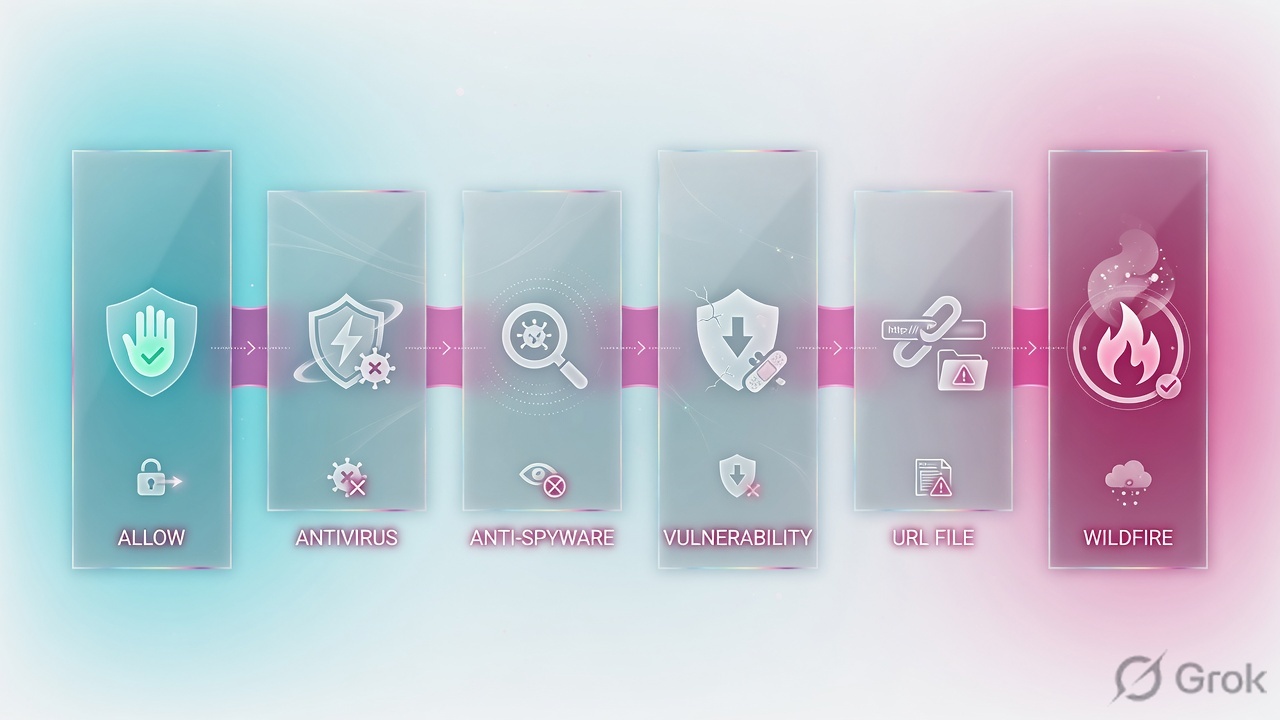
A PAN-OS Security rule that allows an application without a profile is an uninspected tunnel. Profiles are not match criteria. After the rule allows the app, the attached Antivirus (known malware on HTTP/SMTP/FTP/SMB…), Anti-Spyware (C2 / DNS beacons), Vulnerability Protection (inbound exploits), URL Filtering (site category), File Blocking (risky types), and WildFire Analysis (unknown files to the sandbox) inspect the same decoded stream. Bundle them in Objects → Security Profile Groups, attach Profile Type = Group on every allow rule, name one group default so new rules inherit it. Prove it with test security-policy-match showing the group, then a Threat log action of reset-both — not a Traffic log allow.
1. Why allow without profiles is not protect
Sneha writes a clean rule: from trust to untrust, application web-browsing and ssl, action Allow, Log at Session End checked. Users browse. Two days later a finance laptop downloads a malicious invoice over HTTPS. The rule did exactly what it said. That is the problem.
Official PAN-OS admin wording: Security Profiles define an allow but scan rule. They are not used in the match criteria of a traffic flow. The profile is applied after the Security policy rule allows the application or category. App-ID answers “is this app allowed?” Profiles answer “is what is flowing through it clean?”
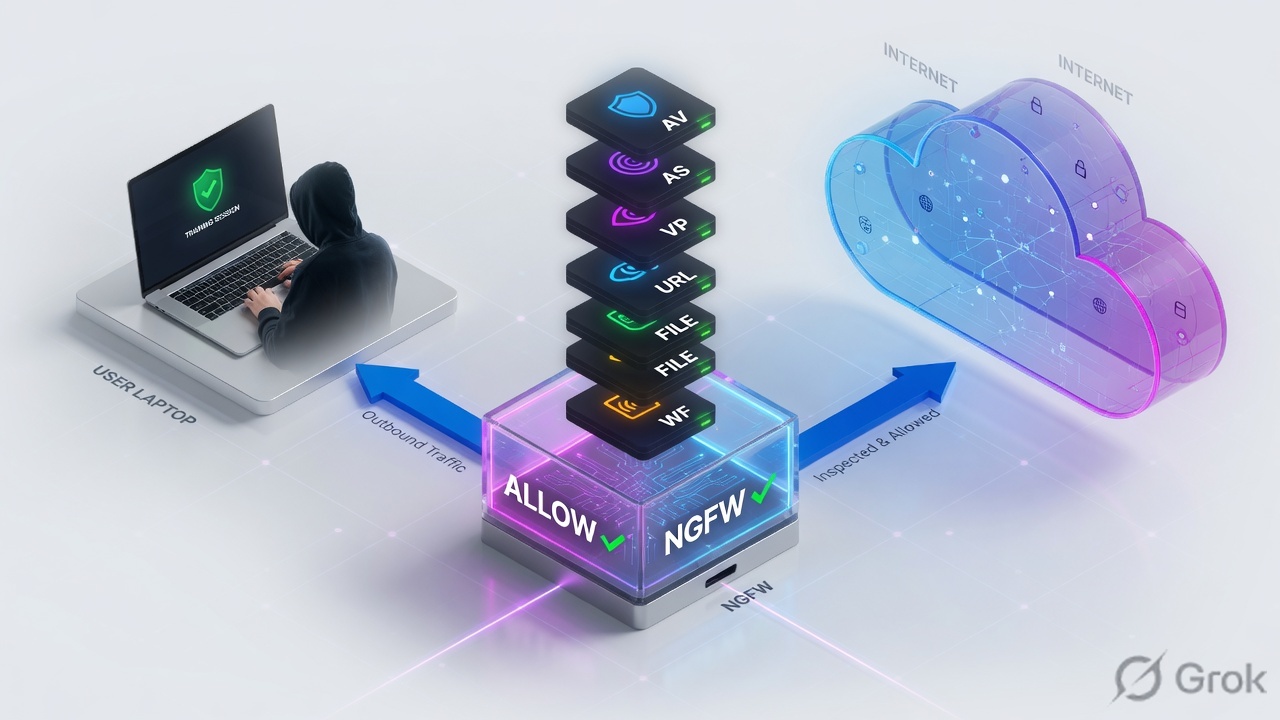
Three tickets this page is built to close:
- “We have Antivirus configured — how did malware get in?” The profile exists under Objects. A higher first-match allow without a group won. Profiles on a rule that never matches never run.
- “Threat log is full, so we are protected.” Action is
alert. Alert writes the Threat log and forwards the payload. You logged the breach. - “HTTPS users still get infected with a full group attached.” No decryption. Antivirus cannot see inside TLS. That is the SSL decryption lesson — mention it, then come back.
Security Profile — inspection engine attached to an allow rule. Not a match field. Denied traffic is not scanned.
Security Profile Group — one named bundle of those engines. Attach the group once instead of six drop-downs on every rule.
default vs strict — predefined Anti-Spyware / Vulnerability Protection baselines. Default uses each signature’s own action (often alert). Strict overrides critical / high / medium to block / reset-both.
reset-both — TCP RST to client and server; UDP is dropped. Gateway default for dangerous signatures.
Name = default — if you name the group default, PAN-OS auto-selects it on new Security rules. No default group → Profile Setting = None.
2. Mental model · match, then scan
Hold three parts. Interviews fail when people mix them.
1. Match is the Security rule
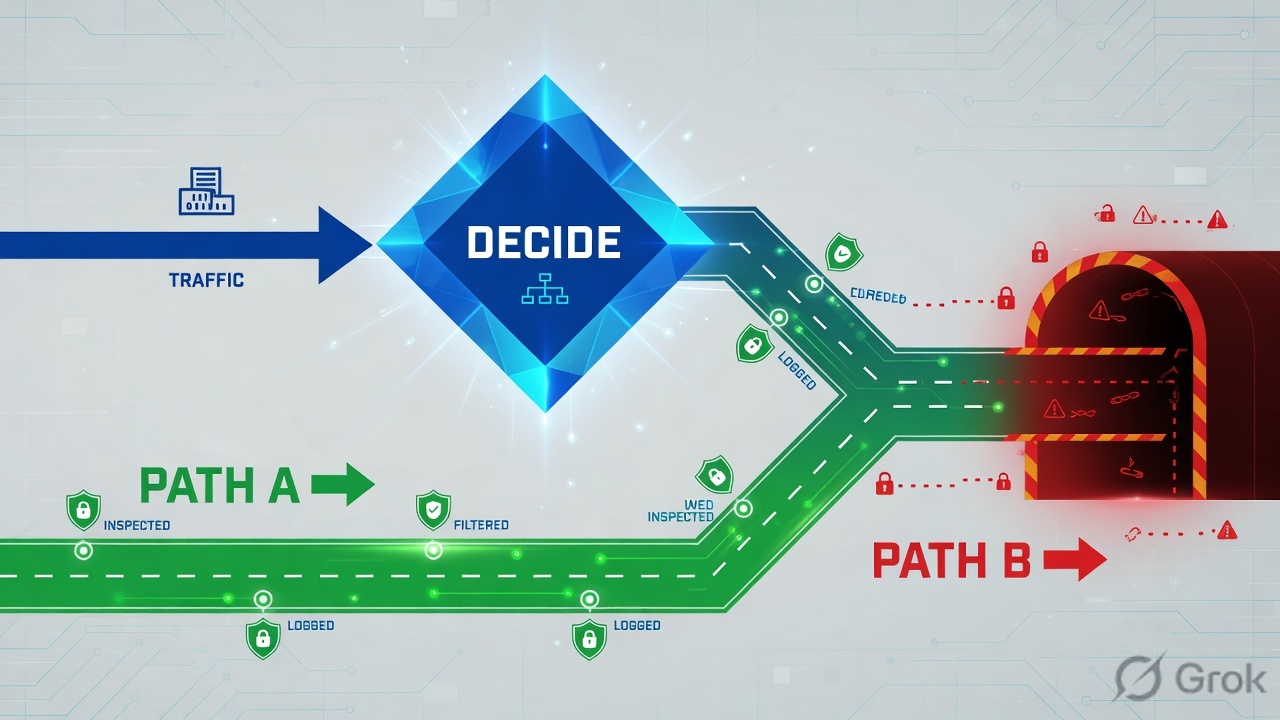
Zones, users, apps, service. First match wins. Action Allow or Deny. Profiles are not in this decision. A deny never hands the session to scanners.
2. Scan is the profile stack
After Allow, the attached group inspects the decoded stream. Single-pass: one decode, all enabled profiles read it in parallel — not a relay race. That is why “six profiles will kill throughput” is usually an excuse, not a measurement.
3. Action is per signature
allow (pass, no log), alert (Threat log, still pass), drop, reset-client / reset-server / reset-both, block-ip. The predefined profile only picks a starting action. You own the clone.
4. The group is the operational unit
Change the group once; every allow that references it updates. Individual Profile Type on 40 rules is how one rule ships with no WildFire.
Allow is the door. The profile group is the scanner. Default is leaky. Strict blocks crit/high/medium. Clone, do not edit predefined. Name the group default so the next engineer cannot forget. Threat log action is the proof — Traffic log allow is not.
Read top then bottom. Same allow rule. Top path has a group and can reset-both. Bottom path has Profile Setting None — the official “no default group” state for a new rule.
3. Which profile catches what
All six live under Objects → Security Profiles, one tab per type. You attach them to internet-facing allow rules. Pick the profile from the symptom, not from habit.
| Profile | What it inspects | Classic hit |
|---|---|---|
| Antivirus | Known malware, worms, trojans, spyware downloads on protocol decoders (HTTP, SMTP, IMAP, POP3, FTP, SMB). Stream-based — first packet, not a full-file wait. | Known-bad invoice / PE over the allowed web app. |
| Anti-Spyware | Already-infected host phoning home to C2, including DNS. Optional DNS sinkhole forges the reply so you can spot the client in Traffic + Threat. | Regular lookups to random-looking domains every 60 seconds. |
| Vulnerability Protection | Attempts to exploit system flaws entering the network (buffer overflow, illegal code execution). Official contrast: Anti-Spyware watches what leaves; VP watches what comes in. | Scanner hitting a published app with a known CVE. |
| URL Filtering | HTTP/HTTPS destination by PAN-DB category. Default profile blocks known malware, phishing, adult. Also the home of credential-theft controls — deep dive is its own lesson. | User browsed a phishing category the allow rule never mentioned. |
| File Blocking | File type + application + direction (upload / download / both). Predefined basic file blocking and strict file blocking (content 653+). Actions: alert, block, continue (web only). |
.exe / .dll download that AV has not signed yet. |
| WildFire Analysis | Unknown files and email links forwarded to the public cloud or a WF-500. Public-cloud rules also forward files that already match AV signatures. | Never-seen PE. Verdict + new signature come back; AV then blocks the next copy. |
A seventh you should know but not put on every rule: Data Filtering (credit-card / SSN / keyword / file-property DLP). Zone Protection and DoS Protection are not Security Profiles on a Security rule — different objects, different policy types.
Putting the group on interzone-default or on an explicit deny does not “cover everything.” Denied traffic is not handed to Content-ID. Inspection only runs on the allow that matched. The group belongs on every allow.
4. How to choose default, strict, group
Palo Alto ships predefined Anti-Spyware and Vulnerability Protection as default and strict. File Blocking ships basic file blocking and strict file blocking. Antivirus’s predefined default alerts SMTP/IMAP/POP3 and blocks FTP/HTTP/SMB. That is a starting point, not an internet-gateway finish line.
| Choice | Use when | Do not use when |
|---|---|---|
| Predefined default | Lab, or a first commit so something is attached. | Public gateway. Many signatures stay at alert — you log, you do not stop. |
| Predefined strict | You want crit / high / medium blocked and low / informational left at signature default. | You need packet capture or exceptions. Clone it. Do not edit the built-in. |
| Clone of strict + single-packet capture | Production internet / DC allow. Best-practice starting point. | You need a blank all-alert “monitor week” that you will forget to flip. |
| Profile Type = Profiles (individual) | One oddball rule that must skip URL or WildFire. | Forty outbound allows. One of them will miss a scanner. |
Profile Type = Group, name default |
Every new Security allow should inherit the org baseline. | You already have a group named default that is empty or lab-weak. Override per rule on the Actions tab. |
Actions, least to most aggressive: allow (pass, no log) → alert (Threat log, still pass) → drop → reset-client / reset-server / reset-both → block-ip (source or source-destination pair, for N seconds). Official note: when the profile says reset-both but the firewall serves a 503 block page at session start, the Threat log may show reset-server — the client already got the page.
5. Runbook · Side A profiles, Side B group, Side C log
Pilot one vsys. Lab values below use RFC 5737 203.0.113.45 and 10.20.5.10. Primary source for Side A/B: PAN-OS Security Profiles + Create a Security Profile Group.
Side A — build (or clone) the six profiles
-
Clone Antivirus
Objects → Security Profiles → Antivirus. Clone the predefined profile to
bp-av-reset. Set decoder Signature Action and WildFire Action toreset-bothfor HTTP, SMTP, IMAP, POP3, FTP, SMB. Packet Capture = single-packet on the clone. Do not edit the predefined row. -
Clone Anti-Spyware and Vulnerability Protection from strict
Objects → Security Profiles → Anti-Spyware and → Vulnerability Protection. Clone strict to
bp-as-strictandbp-vp-strict. Leave crit/high/medium at the strict override (block / reset-both). Enable single-packet capture. On Anti-Spyware, turn on DNS sinkhole if you have a sinkhole IP you own — infected hosts then show up as clients to that IP. -
URL, File Blocking, WildFire
Clone or create
bp-url(block malware / phishing / command-and-control at minimum). Attach predefinedbasic file blockingon general outbound,strict file blockingtoward sensitive apps. WildFire Analysis: application any, file types you license, direction both, analysis location public cloud (or hybrid if you have a WF-500 for PDFs).
Side B — group, then attach on Actions
-
Create the group
Objects → Security Profile Groups → Add. Name
defaultif this should auto-attach to every new Security rule; otherwise name itpg-outboundand attach it by hand. Multi-vsys: check Shared only if every vsys should inherit it. Drop in the six clones. OK. -
Attach on every existing allow
Policies → Security → open each allow → Actions. Profile Type = Group. Group Profile =
defaultorpg-outbound. Log at Session End stays checked. Profiles on a deny do nothing — skip those. -
Confirm new-rule inheritance
If you named the group
default: Policies → Security → Add → Actions. Profile Type should already be Group and Group Profile = default. If you see None, no default group exists — that is the official empty state. -
Commit
The group is not live until Commit. Then prove the matched rule, not the rule you meant.
Objects → Security Profile Groups → Add
Security Profile Group
Click next: OK, then Policies → Security → each allow → Actions. Naming the group default auto-selects it on new rules. Source: Objects → Security Profile Groups (Create a Security Profile Group, PAN-OS 11.1).
Policies → Security → allow-users-web → Actions
Security Policy Rule
Click next: OK, Commit, fetch EICAR from 10.20.5.10 over the allow, then open Monitor → Logs → Threat. Source: Policies → Security → Actions → Profile Setting (PAN-OS).
Side C — prove the matched rule is scanning
-
Which rule actually won?
CLI:
test security-policy-match from trust to untrust source 10.20.5.10 destination 203.0.113.45 application web-browsing protocol 6 destination-port 443. Readprofile-setting groupon the rule it prints. If a different, higher allow with no group won, that is the ticket. -
Safe content hit
From the lab host, fetch the EICAR test file over the allowed app (HTTP first; HTTPS only after a decrypt rule). The download must fail. Monitor → Logs → Threat must show Type = virus, Action =
reset-both(or reset-server if a 503 page was served), Rule = the allow you intended. -
WildFire path
If you forwarded an unknown: Monitor → Logs → WildFire Submissions is not empty, and Device → Setup → WildFire shows the cloud reachable. An empty submissions log with a WildFire profile attached usually means egress to the WildFire FQDN is blocked or forwarding is off.
Monitor → Logs → Threat
Threat · filter (addr.src in 10.20.5.10)
Green close: Rule is yours, Type matches the scanner, Action is reset-both (or sinkhole), not alert. Source: Monitor → Logs → Threat + Actions in Security Profiles.
test security-policy-match from trust to untrust source 10.20.5.10 destination 203.0.113.45 application web-browsing protocol 6 destination-port 443
show running security-policy
show log threat direction equal backward receive_time in last-hour
show wildfire status
test security-policy-match prints the intended allow and profile-setting group default (or pg-outbound). Threat log: Rule Name = that allow, Type = virus / spyware / vulnerability, Action = reset-both (not alert), Source = 10.20.5.10. Traffic log allow without a matching Threat row after EICAR means the group is not on the rule that won — or the session was TLS and you have no decrypt.
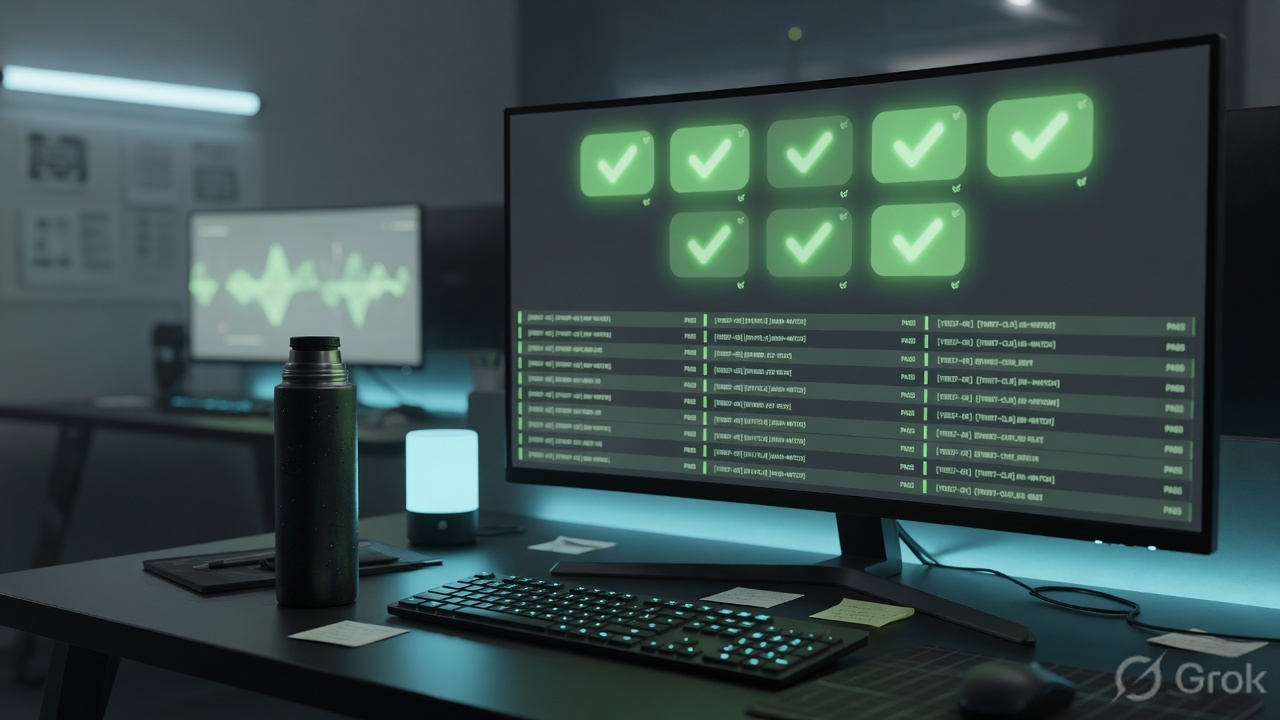
6. Runtime path after commit
After go-live the firewall does not re-read your intent. It does this.
Security policy still runs without profiles. You get an allow, not an inspection. That is why “the Security rule hit” is not proof of protection.
7. Traps + proof checklist
| Trap | What you see | What is true |
|---|---|---|
| Profile exists, not attached | Objects shows Antivirus reset-both; user still infected | test security-policy-match names a higher allow with Profile Setting None. First match wins. |
| alert left from “monitor week” | Threat log is busy; payload still landed | alert logs and forwards. Flip the clone to reset-both. Default predefined is often this trap. |
| Edited predefined strict | Custom action vanished after a content update | Predefined rows track Palo Alto. Clone, rename bp-*, edit the copy. |
| Group on the deny only | “Everything is covered at the bottom” | Denied sessions are not scanned. The group belongs on every allow. |
| No default group | Every new rule ships with Profile Setting None | Official empty state. Name one group default, Commit, Add a test rule, read Actions. |
| HTTPS + no decrypt | Full group attached; file still arrives | AV/WF cannot see inside TLS. Need Policies → Decryption. Separate lesson. |
| WildFire log empty | Analysis profile on the group; no submissions | Device → Setup → WildFire forwarding off, or the firewall cannot reach the cloud FQDN. |
| Traffic log as proof | Action = allow, so “we are safe” | Allow is the door. Quote Threat Type + Action + Rule Name, or you have not closed the ticket. |
- Every allow that faces untrust has Profile Type = Group.
- A group named
defaultexists, or you have a documented reason it does not. - Predefined default/strict were cloned, not edited.
test security-policy-matchfor the pilot host prints that group.- EICAR (or a licensed test file) produces Threat action reset-both and a failed download.
- WildFire:
show wildfire statusis connected if you attached an analysis profile. - Explicit logged deny still sits at the bottom — profiles do not replace it.
Knowledge check
Six judgment items. Map each to a promise bullet. Check answers, then reset and retry the ones you miss.
Sources
- PAN-OS 11.1 Admin · Security Profiles — allow-but-scan; profiles are not match criteria; applied after the Security rule allows the application; default vs strict; actions including allow (no log), alert, drop, reset-*, block-ip; profile-type table (AV, Anti-Spyware, VP, URL, File Blocking, WildFire, Data Filtering, group).
- Create a Security Profile Group — Objects → Security Profile Groups → Add; name
defaultto auto-attach; Policies → Security → Actions → Profile Type = Group → Group Profile; Commit. - Set Up or Override a Default Security Profile Group — no default group → Profile Setting None; name the group default; confirm on a new rule’s Actions tab; override per rule if needed.
- Network Security · Security Profiles — current NGFW/Prisma wording for the same profile types and group.
- Objects → Security Profile Groups (Web Interface Help) — Name (31 chars, case-sensitive, unique); group treated as a unit on Security policies.
- Objects → Security Profiles — Antivirus, Anti-Spyware, Vulnerability Protection, URL Filtering, File Blocking, WildFire Analysis field homes.
- Create Best Practice Security Profiles (Internet Gateway) — attach AV to all Security rules; File Blocking basic vs strict; VP / Anti-Spyware recommendations.
- Create a Security Policy Rule — Actions: Profiles vs Group; attach the group on the allow.
Related: PAN-OS Security policy · App-ID, Content-ID, User-ID · SSL/TLS decryption · URL Filtering · WildFire · Palo Alto interview hub · Palo Alto course