Advanced URL Filtering is a profile on an Allow Security rule, not its own rulebase. PAN-DB (and custom / EDL lists) assign up to four categories. The profile’s Site Access action for the strictest matching category wins: block → override → continue → alert → allow. Use alert for visibility — allow does not write a URL Filtering log. Credential phishing is a second column: detect with User-ID (IP-User Mapping, Group Mapping, or Domain Credential Filter), then User Credential Submissions per category. Inline ML (PAN-OS 10.2+ Inline Categorization) adds real-time analysis; prove it with (url_category_list contains real-time-detection). Close the ticket in Monitor → Logs → URL Filtering.
1. Why a Security allow is not web security
A Security allow with no URL Filtering profile is an open door with a name. App-ID may say web-browsing or ssl. It does not say phishing, malware, high-risk, or “this user just posted their corporate password.”
Official wording: you attach a URL Filtering profile to Security policy rules that allow web access. Profiles do not evaluate on a deny. HTTPS path and form posts stay opaque unless a matching Policies → Decryption rule decrypts the session.
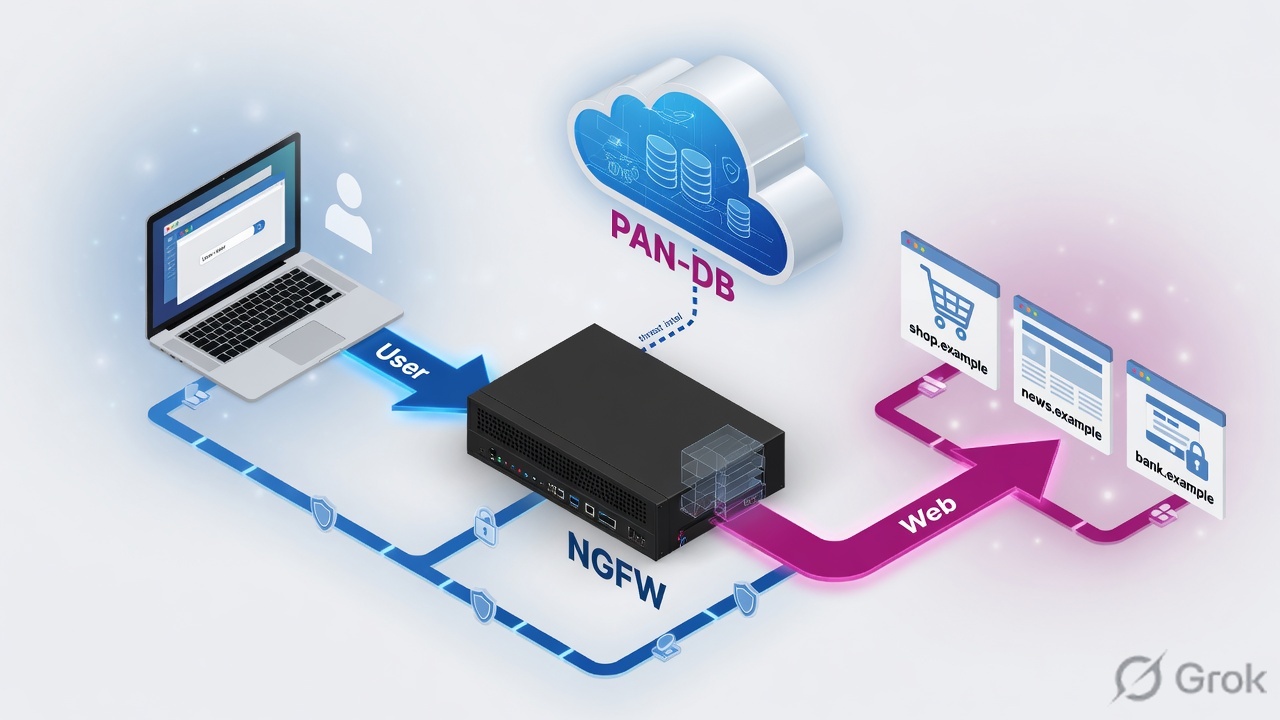
Three tickets this page is built to close:
- “Phishing got through.” Usually malware/phishing left on allow, no decrypt so only the hostname was classified, or the profile was never attached.
- “SOC has no URL logs.” Usually Site Access = allow (no log), or Log container page only hid the click, or the rule is a deny.
- “Someone typed their AD password into a fake login.” Site Access was alert. User Credential Detection was never enabled, or HTTPS was not decrypted, so the POST was invisible.
PAN-DB — Palo Alto Networks URL database. Authoritative predefined categories. Local cache first; cloud when the cache misses.
Site Access — per-category action: allow, alert, continue, override, block. This is “can they open the page?”
User Credential Submissions — per-category action on corporate username / password POSTs. Separate from Site Access.
Inline Categorization — PAN-OS 10.2 name for URL Filtering inline ML. Local dataplane models plus optional cloud deep learning. Adds the real-time-detection category.
URL Category List — the log field that lists every category that matched, not only the one that drove the action.
2. Mental model · category, then action
Hold three parts. Interviews fail when people mix “what is this URL?” with “what do we do?”
1. Classify
Custom URL category, then URL-type EDL, then PAN-DB predefined (up to four categories, including risk). Unknown / suspicious pages can also get inline analysis.
2. Act
The URL Filtering profile maps each category to Site Access and to User Credential Submissions. Strictest Site Access wins when a URL has more than one category.
3. Attach + see
The profile only fires on an Allow Security rule. Alert/block/continue/override write Monitor → Logs → URL Filtering. Allow writes nothing there.
PAN-DB tells me what the site is. The profile tells me what to do. Custom lists beat PAN-DB. Block beats alert. Allow is silent. Credential theft is a second action, and it needs User-ID plus decrypt.
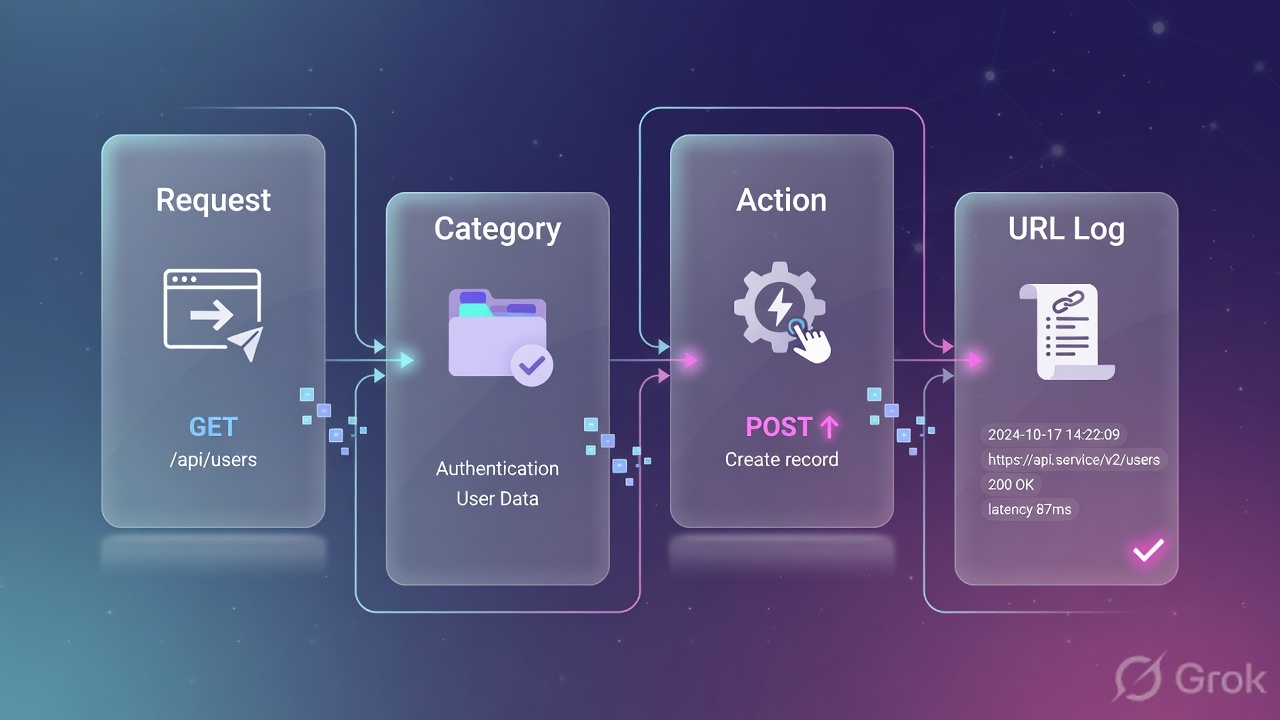
Cache is part of the model, not a footnote. PAN-OS 9.0+ does not download a PAN-DB seed. After the license activates, the firewall fills management-plane and dataplane caches as users browse. test url prints both views: Base db (local cache) and Cloud db (live PAN-DB). If they disagree, the box is acting on a stale cache, not on “wrong policy.”
3. Decision flowchart
Read this before you click Objects → Security Profiles → URL Filtering. The packet does not pick the safest category. It walks a fixed order, then the profile action for the strictest hit.
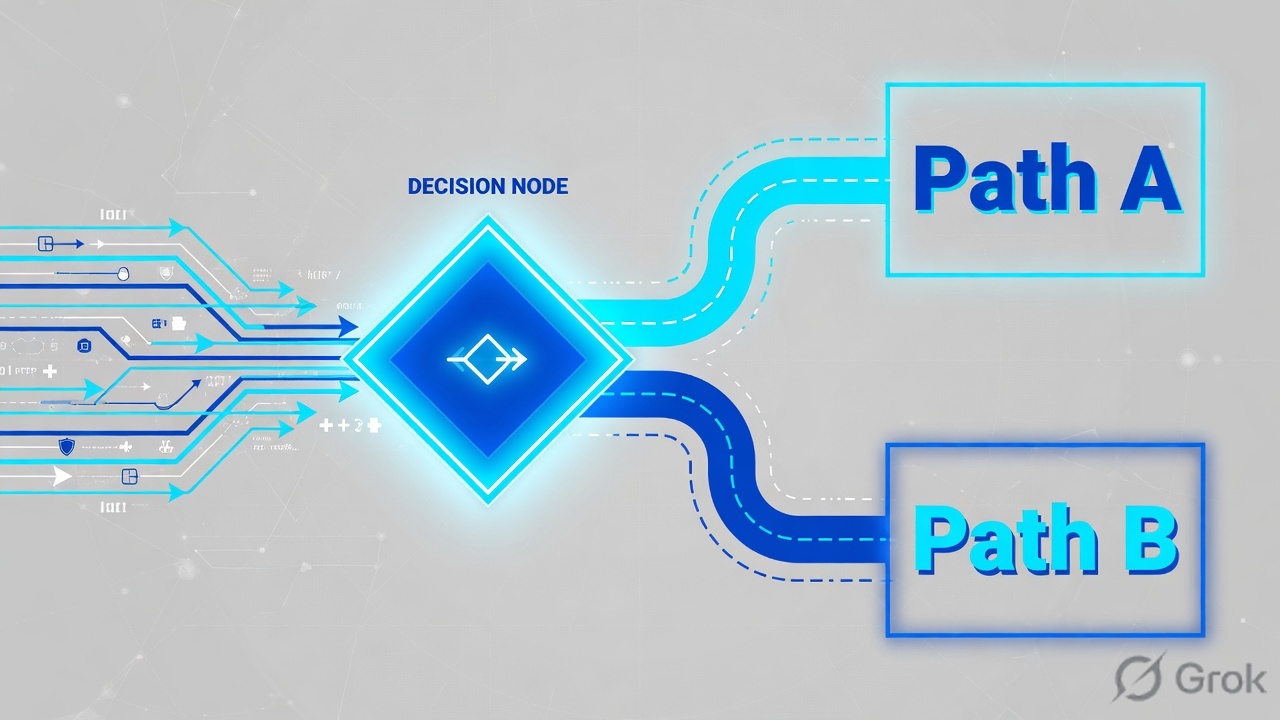
Read left → right. Custom and EDL beat predefined PAN-DB. Inline analysis is extra classification, not a replacement for the profile. Source: How Advanced URL Filtering Works + URL Categories.
4. How to choose Site Access and credentials
A new URL Filtering profile defaults every category to allow. That is a lab blank, not a best practice. Clone the vendor best-practice profile or start from default and then set every category on purpose.
| Site Access | User sees | URL log? | When to use |
|---|---|---|---|
allow | The site | No | Almost never. You lose the only proof the category matched. |
alert | The site | Yes | Default for traffic you permit. Visibility without a block page. |
continue | Continue response page | Yes | Benign-but-noisy categories. Coach the user; they can proceed. Breaks behind some client proxies. |
override | Password response page | Yes | Help-desk temporary unlock of a whole category. Not a per-URL exception. |
block | Block page | Yes | Known threats: malware, phishing, command-and-control, adult, abused-drugs. Also sets User Credential Submissions to block. |
Strictest-wins is official: if a URL is phishing (block) and business-and-economy (alert) and real-time-detection (alert), the session is blocked. The log still lists every category in URL Category List.
| Credential method | Detects | Needs | Choose when |
|---|---|---|---|
| Use Group Mapping | Corporate username only | User-ID group mapping | Quick start. False positives if usernames are not unique. |
| Use IP User Mapping | Username that maps to this source IP | IP-user mapping (agent, GlobalProtect, or Authentication Portal) | Better username check. Does not see the password. |
| Use Domain Credential Filter | Username and password hash | Windows User-ID agent + credential service add-on + IP-user mapping | You must stop password reuse. Not supported on Prisma Access. |
Unsafe: Site Access = allow on malware because “Test A Site is wrong” — you also go silent in the URL log.
Safe: a custom URL category (URL List) or URL-type EDL for the one hostname, set that custom category to alert (or block), leave malware on block. Custom is evaluated first. Do not put a bare example.com without a trailing slash on PAN-OS 10.1 and earlier or you match example.com.evil.
5. Runbook · Side A prereqs, Side B profile, Side C log
Lab names below are training-only: firewall fw.lab.example.com, user net 10.1.8.0/24, profile uf-lab-strict, Security rule allow-users-web.
Side A — license, cloud, decrypt, User-ID
-
Confirm Advanced URL Filtering
Device → Licenses. Advanced URL Filtering (or a still-active legacy URL Filtering license) must be valid. No license = no PAN-DB queries. Prisma Access includes Advanced URL Filtering.
-
Prove PAN-DB is reachable
CLI:
show url-cloud status. You want License valid and Cloud connection connected. Anything else, URLs missing from cache becomenot-resolved. -
Decrypt the web you intend to classify
Test pages work over HTTP. HTTPS test pages and real phishing POSTs need Policies → Decryption SSL Forward Proxy for users. Without decrypt you often only see the hostname (SNI / cert), not the path or the form. See the SSL decryption lesson.
-
User-ID if you will stop credential theft
Pick one detection method before you touch the profile. Group Mapping or IP User Mapping is enough for username-only. Domain Credential Filter needs the Windows agent add-on.
-
Hold the client while the category is unknown
Device → Setup → Content-ID → enable Hold client request for category lookup. Set Category lookup timeout (sec). Best practice: do not let the first packet slip through as not-resolved while the cloud is thinking.
Primary source for Side A: Configure URL Filtering (steps 14–15) and URLs Classified as Not-Resolved.
Side B — profile, then attach
-
Create the profile
Objects → Security Profiles → URL Filtering → Add. Name
uf-lab-strict. Do not leave the new-profile default of allow on every category. -
Set Site Access
On the Categories tab: block malware, phishing, command-and-control, adult, abused-drugs, high-risk. Alert everything you actually permit (including medium-risk, low-risk, unknown). Continue only if the business wants a coach page. Override only if help desk will hand out the password.
-
Set User Credential Submissions
Same Categories tab, second column. Block credential POSTs to unknown, high-risk, medium-risk, and any category that is not a sanctioned corporate site. Allow (or alert) only the categories that host real login portals you own or buy.
-
Turn on detection
User Credential Detection tab: choose Use IP User Mapping (lab default) or Domain Credential Filter (production password check). Set Valid Username Detected Log Severity (default medium).
-
Enable inline categorization
PAN-OS 10.2+: Inline Categorization tab → Enable local inline categorization and Enable cloud inline categorization. Local is dataplane ML for phishing variants and malicious JavaScript. Cloud forwards suspicious page content to hawkeye.services-edge.paloaltonetworks.com. PAN-OS 10.1 still labels this tab Inline ML (Phishing / JavaScript Exploit actions). Not supported on VM-50 / VM-50L. Leave
real-time-detectionon alert so the more severe threat category (block) can still win. -
Logging hygiene
URL Filtering Settings: keep Log container page only enabled unless you are debugging a single user. Enable HTTP Header Logging for User-Agent, Referer, X-Forwarded-For when you need the click path.
-
Attach on an Allow
Policies → Security → rule
allow-users-web→ Actions → Profile Type = Profiles → URL Filtering =uf-lab-strict. Source zone must be the protected users. Commit.
Primary source for Side B: Configure URL Filtering (PAN-OS & Panorama) and Configure Inline Categorization.
Objects → Security Profiles → URL Filtering → uf-lab-strict
URL Filtering Profile
Click next: User Credential Detection tab, then Inline Categorization, then attach on Policies → Security → Actions. Source: Configure URL Filtering, Categories + Site Access.
Objects → Security Profiles → URL Filtering → uf-lab-strict → Inline Categorization
Inline Categorization
Click next: Commit, then browse the official test URLs. Source: Configure Inline Categorization (PAN-OS 10.2 & Later).
Side C — prove it in the URL log
-
Classify from the CLI first
test url urlfiltering.paloaltonetworks.com/test-malware. Read both lines: Base db (cache) and Cloud db (live). If they disagree,request url-filtering update url <url>orclear url-cache allafter you understand blast radius. -
Hit a safe test page
From a user in 10.1.8.0/24:
http://urlfiltering.paloaltonetworks.com/test-malware(legacy category) andhttp://urlfiltering.paloaltonetworks.com/test-inline-url-analysis-phishing(Advanced URL Filtering). HTTPS versions need decryption. -
Open the URL Filtering log
Monitor → Logs → URL Filtering. Filter examples:
(url contains 'urlfiltering.paloaltonetworks.com'),(url_category_list contains real-time-detection),(action eq block-url). -
Quote the close
Rule Name =
allow-users-web, URL, Category, URL Category List, Action (block-url/alert/continue…), Source User if User-ID worked. Credential theft: look for enterprise credential submission (flag / credential fields), not only Site Access.
Primary source for Side C: Test URL Filtering Configuration and URL Filtering Log Fields.
Monitor → Logs → URL Filtering
URL Filtering · (url_category_list contains real-time-detection)
Green close: Action matches the strictest category, URL Category List shows every match, Rule Name is the Allow that holds the profile. Source: Test URL Filtering Configuration + URL Filtering Log Fields.
admin@fw-lab> show url-cloud status
admin@fw-lab> test url urlfiltering.paloaltonetworks.com/test-malware
admin@fw-lab> test url urlfiltering.paloaltonetworks.com/test-inline-url-analysis-phishing
admin@fw-lab> show mlav cloud-status
admin@fw-lab> show ctd-agent status security-client
6. Runtime path after commit
After commit, a user request does not “hit the URL profile first.” It is still a PAN-OS session: zone, Security allow, then content inspection on that allow — including URL Filtering.
Security allow is the on-ramp. The URL profile is the inspection. The URL Filtering log is the receipt — except when Site Access is allow.
Monitor → Logs → URL Filtering: Rule Name = allow-users-web, URL is the page you browsed, Category / URL Category List match test url, Action is block-url or alert (not empty because you used allow). Inline test: URL Category List contains real-time-detection. Credential lab: enterprise credential submission flagged, User Credential Submissions action = block, anti-phishing page shown. Traffic log Category and “session denied via URL filtering” flag agree on blocks.
7. Traps + proof checklist
| Symptom | Likely cause | First check |
|---|---|---|
| No URL Filtering logs at all | Site Access = allow, or profile on a deny, or profile not attached | Profile Categories + Security Actions tab. Change permit categories to alert. |
| Phishing page loads on HTTPS | No decrypt — only SNI/host classified, or category left allow | Decryption log for the same session; test url on the full URL vs hostname. |
| Category is not-resolved | PAN-DB cloud down or cache empty | show url-cloud status. Hold client request. Do not treat not-resolved as allow. |
| Test A Site is clean, firewall still blocks | Stale Base db / dataplane cache | test url Base vs Cloud. request url-filtering update url. |
| Password went to a lookalike | User Credential Detection off, or no User-ID, or no decrypt | User Credential Detection tab + mapping table + Decrypted = yes. |
| Inline ML never fires | Tab not enabled, VM-50, or cloud FQDN blocked | show mlav cloud-status, show ctd-agent status security-client, license. |
| Custom allow of example.com also allows evil | Missing trailing slash / wildcard on older PAN-OS | URL Category Exception Guidelines. Prefer example.com/. |
1. License valid + show url-cloud status connected.
2. uf-lab-strict attached on an Allow; no category left on allow except a documented exception list.
3. Forward Proxy decrypt for the user subnet (or accept hostname-only classification).
4. Browse /test-malware and /test-inline-url-analysis-phishing.
5. URL log: Action, Category, URL Category List, Rule Name. Inline filter contains real-time-detection.
6. Optional credential lab: known user, known lookalike, anti-phishing block page, credential flag in the log.
Knowledge check
Six judgment calls. Map each one back to Site Access, lookup order, credentials, inline ML, or the URL log.
Sources
- Advanced URL Filtering — product admin hub for PAN-DB + real-time analysis.
- How Advanced URL Filtering Works — classify then enforce; custom → EDL → predefined; MP/DP cache; no seed DB after PAN-OS 9.0.
- URL Categories — up to four categories; strictest action; custom URL List vs Category Match; Test A Site.
- URL Filtering Profiles — Site Access allow/alert/block/continue/override; User Credential Submissions; allow is silent.
- Configure URL Filtering — Objects → Security Profiles → URL Filtering; attach on Security Actions; hold client request; category lookup timeout.
- Local Inline Categorization — former inline ML; dataplane models; not on VM-50/VM-50L.
- Configure Inline Categorization — local + cloud checkboxes (10.2+); 10.1 Inline ML tab;
show mlav cloud-status; hawkeye FQDN. - Credential Phishing Prevention — scan submissions vs corporate credentials; response pages.
- Methods to Check for Corporate Credential Submissions — Group Mapping, IP-User Mapping, Domain Credential Filter (not on Prisma Access).
- Test URL Filtering Configuration — official test pages;
(url_category_list contains real-time-detection). - URL Filtering Log Fields — Action values (alert, block-url, continue, override…); URL Category List; credential flag 0x10000000.
- URLs Classified as Not-Resolved —
show url-cloud status; cache miss + no cloud = not-resolved. - Test A Site — public PAN-DB lookup / category change request.
Related: PAN-OS SSL/TLS decryption · Security policy fundamentals · Security profiles · Logging and reporting · Threat Prevention · Palo Alto interview hub · Palo Alto course