Lessons · F5 LTM series · Module 7
Same lab numbers on every page: client 198.51.100.50, VIP 192.0.2.100, Self IPs 192.0.2.10 / 10.20.20.10, members 10.20.20.101–103.
- Hub · Course map
- M1 · Fundamentals & admin
- M2 · Networking & traffic flow
- M3 · Virtual Servers & pools
- M4 · Profiles, SNAT, SSL
- M5 · Monitors, iRules, policies
- M6 · High availability
- M7 · Troubleshooting ← you are here
Recorded course + workbooks: My Courses · syllabus F5 LTM / GTM / ASM
Do not start by changing configuration
Module 7 PDF opens with discipline: every change made without evidence risks a second outage. Convert “F5 is dropping traffic” into “Client SYN arrives on external VLAN, but no server-side SYN is observed.” That sentence already names the layer.
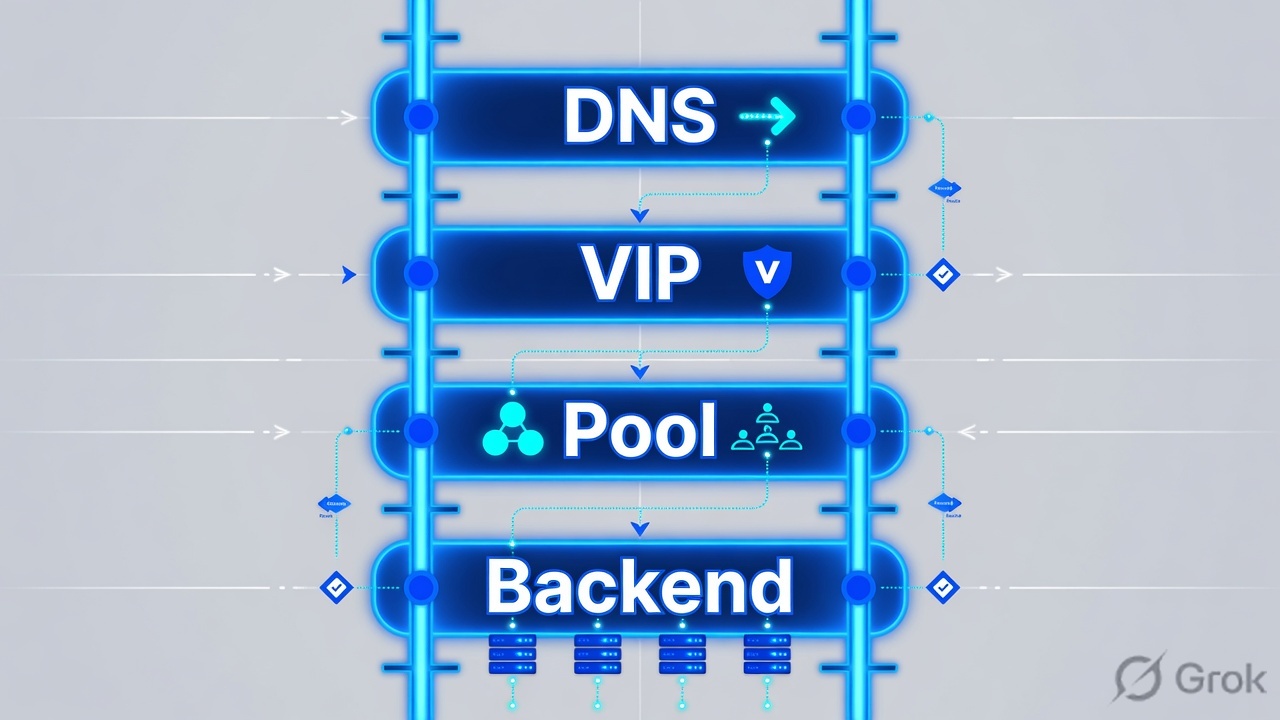
Write a problem statement (source, VIP, port, time, expected vs actual, last change). Then walk DNS → packet at BIG-IP → VS match → profiles/SNAT/iRule → pool/monitor → server-side capture. Asymmetric return path is the silent classic — SNAT Automap or fix the server gateway.
Problem statement before the terminal
| Field | Example | Why |
|---|---|---|
| Source IP | 198.51.100.50 | Which client to tcpdump |
| FQDN / VIP | www.example.com / 192.0.2.100 | DNS vs listener |
| Port / proto | 443 / TCP | VS match |
| Time + TZ | 2026-08-26 10:30 IST | Logs |
| Expected / actual | Login page / timeout | Timeout vs RST vs HTTP 502 |
| Last change | Cert, iRule, firewall | Probable cause |
Ask at each box: do I have packet proof this layer works?
Never say “F5 reset the connection” without a capture that shows BIG-IP as the RST source. Upstream firewalls RST too.
Which tool at which layer
| Layer | Command / tool | Pass looks like |
|---|---|---|
| DNS | dig / nslookup from the client | A record = VIP |
| Listener | tmsh show/list ltm virtual | Enabled, correct destination:port, stats increment |
| Pool | tmsh show ltm pool X members | At least one up; not all disabled |
| Route/ARP | tmsh show net route / arp | Path to member MAC |
| Packets | tcpdump -nni 0.0 host … | SYN both directions or a precise hole |
| TLS | curl -vk ; client-ssl stats | Cert name + finished handshake |
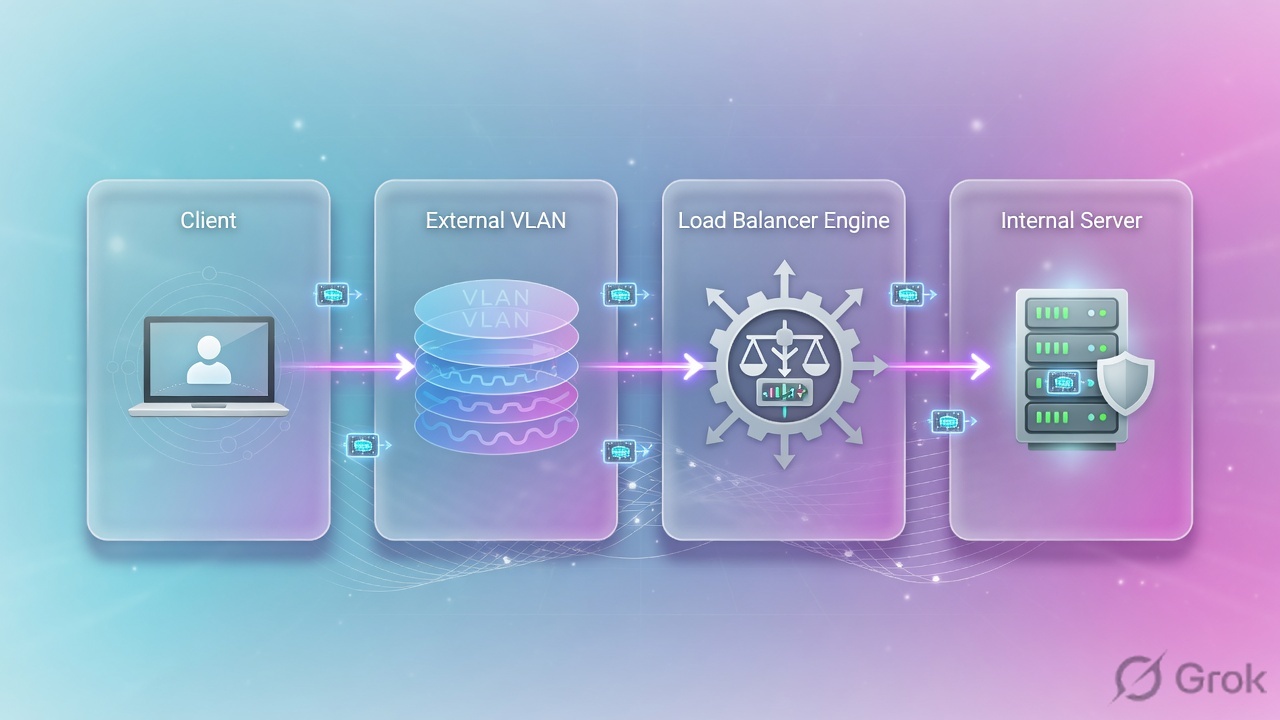
Runbook — first 15 minutes of an incident
Side A · facts, no changes
Fill the problem statement table
Who, VIP, port, when, last change.
DNS from the failing client
Wrong IP means you will tune the wrong VS forever.
List the VS
tmsh list ltm virtual vs_web_httpsdestination, VLANs, pool, profiles, SNAT, rules.
tmsh show ltm virtual
tmsh list ltm virtual vs_web_https
tmsh show ltm pool WEB_POOL
tmsh show ltm pool WEB_POOL members
tmsh show ltm node 10.20.20.101
tmsh show net route
tmsh show net arp
tmsh show sys connection
Side B · two-sided capture
Local Traffic > Virtual Servers > vs_web_https
Confirm VS match fields
Port mismatch example from the PDF: client 443, VS 8443 — no match, no processing.
Local Traffic > Pools > WEB_POOL
Member health
A down member is not a down VIP unless it was the last healthy member.
tcpdump -nni 0.0 host 198.51.100.50
tcpdump -nni 0.0 host 10.20.20.101 and port 443
Side C · asymmetric routing
Client → BIG-IP → server is not enough. If the server replies straight to the client, TMM never sees SYN-ACK and the full proxy cannot complete. SNAT Automap forces the server-side source to a Self IP so the return must come back. Do not enable Automap blindly — understand the gateway design — but do not refuse it when the server default route bypasses BIG-IP.

Where evidence usually breaks
No server-side SYN-ACK + No-SNAT = look at the server gateway before rewriting iRules.
Traps + proof
| Pattern | Often is | Not |
|---|---|---|
| No packet on 0.0 | Upstream routing/firewall/DNS | Pool monitor |
| Packet in, no VS stats | Destination/port/VLAN mismatch | SSL profile |
| VS stats, no server SYN | No route, member down, iRule drop | Client PC |
| Server SYN, no SYN-ACK | Server/app or asymmetric return | Need a new iRule first |
| RST | Prove who sent it | 'F5 always RSTs' |
- You can fill the problem-statement table from a phone call.
- You capture client-side and server-side before changing SNAT.
- You refuse to “just bounce TMM” as step one.
Knowledge check
If you want to change config first, you fail this quiz on purpose.
Sources
- Techclick PDF:
F5-BIG-IP-LTM-Module-7.pdf(from OneDrive_1_8-26-2026.zip, 26 Aug 2026) - Companion deck:
F5-Ltm-Training-Ppt (1).pptx.pdf - Official lab paths: F5 cert Lab 1 — VLANs, Self IPs, pools, virtual servers
- TMSH virtual server reference: ltm virtual
- Related deep dives on this site: SSL modes · SNAT · Persistence · VS/pools · VIP down / tcpdump
Related: Course hub · Syllabus · My Courses · F5 LTM interview