Linux access is inode mode bits, not a vibe. Sticky on a directory is restricted deletion. SUID on an executable changes the effective UID at execve. A process is a PID plus a unit. A socket is a 5-tuple I prove with ss -lntup — bare ss omits listeners. Packets to a local socket walk INPUT; packets routed through the box walk FORWARD. First terminating verdict wins. I prove it in the journal with FIELD=VALUE, then I do not flush the live ruleset.
1. Ticket hook — SSH down, 4444 open
Night shift. Users cannot SSH to the jump box. systemctl is-active ssh says failed on Ubuntu; a colleague already typed systemctl restart sshd on the same host and got “Unit sshd.service not found.” ss with no flags shows established sessions and nothing on 22. A junior pastes ss -lntup and there it is: 0.0.0.0:4444 owned by a process named python3. Another junior wants iptables -F “to see if the firewall is the problem” and chmod 777 /home “so support can copy logs.”
That is the interview. Debian-family units are often ssh.service; RHEL-family are sshd.service. ss without -l or -a hides listening sockets — ss(8) says so in the first options paragraph. Flushing the filter table deletes every rule in every chain of that table. World-writable home directories are not a log-collection strategy.
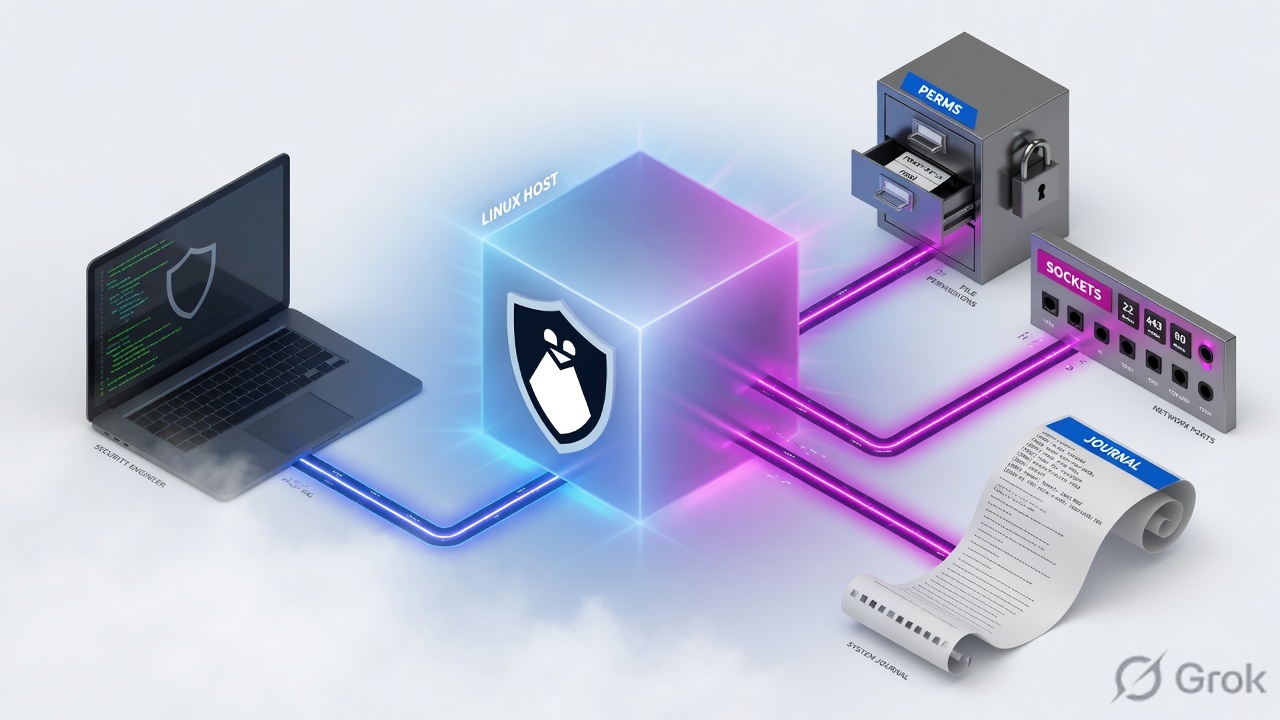
Mode bits — the 12 bits in st_mode: 9 permission bits plus SUID (04000), SGID (02000), sticky (01000). SUID — on an executable, execve(2) sets the process effective UID to the file owner. SGID — on an executable, effective GID follows the file group; on a directory, new files inherit that directory’s GID. Sticky / restricted deletion — on a directory, an unprivileged user may unlink or rename a file only if they own the file or the directory. Unit — a systemd object (sshd.service, nftables.service). Journal field — a KEY=value match such as _SYSTEMD_UNIT= or _PID=. Terminating verdict — ACCEPT/DROP (iptables) or accept/drop (nft) stops further rule evaluation in that chain.
2. Mental model: five stations on the box
Interviewers mix file, process, socket, filter, and log on purpose. Keep them on different stations. A listener is not a firewall hole. A failed unit is not a closed port. A world-writable directory is not “the same as 777 on the file.”
What the kernel owns
Inode mode, process credentials, the socket table, and the netfilter hooks. ss reads the socket table. nft list ruleset / iptables -S read the filter tables. Neither tool invents a file permission.
What the engineer owns
Which station to prove first, the exact flag that reveals listeners, the journal match that scopes one unit and one boot, and the refusal to flush or chmod -R 777 before a backup and a ticket.

Mode bits you must say without looking them up
chmod(1) numeric mode is up to four octal digits. The first digit is special: 4 set-user-ID, 2 set-group-ID, 1 sticky / restricted deletion. The next three are owner, group, other — each 4 read, 2 write, 1 execute (or search, on a directory). 1777 on /tmp is world-writable and sticky. That is not the same as 0777.
In ls -l, SUID shows as s in the owner execute slot (capital S if execute is off). SGID is s/S in the group slot. Sticky is t/T in the other slot. inode(7) is the page that defines those bits; chmod(1) is the page that changes them.
3. Investigation decision flow
Flowchart first. You do not start by flushing nftables. You start by naming the symptom: file, process, listener, or packet path — then you pick the proof command that can falsify it.
Read left → right, then down. Diamond = local vs forwarded. Do not jump to the filter table until you know which hook the packet actually hits.

4. How to choose the tool
Use the man-page words in the room. ss is iproute2 and is the modern socket dump. netstat is net-tools and is often not installed. On current distributions iptables may be the iptables-nft compatibility wrapper — iptables -V tells you. The kernel truth on an nft backend is nft list ruleset.
| Question | First tool | Why this, not that | Proof line |
|---|---|---|---|
| Who can unlink this file? | ls -ld the directory + ls -l the file |
Sticky is a directory bit. File mode 644 does not decide unlink. | drwxrwxrwt → only owner / dir owner / root |
| Unexpected privilege? | find / -perm -4000 -type f |
-perm -4000 means the SUID bit is set. Exact -perm 4000 is the wrong test. |
ls -l shows rws; stat shows 4755 |
| Service failed this boot? | systemctl status UNIT then journalctl -u UNIT -b |
-b is this boot. Grep on /var/log/messages misses structured fields and user journals. |
_SYSTEMD_UNIT= + exit status |
| What is listening? | ss -lntup |
Bare ss lists non-listening / established only. -l is listeners; -p is the process. |
LISTEN 0 128 0.0.0.0:22 users:(("sshd",pid=…)) |
| Packet to this host dropped? | nft list ruleset or iptables -S |
INPUT / type filter hook input. Counters on the matching rule, not a reboot. |
First drop/DROP with a hit count |
| Packet through this router dropped? | Same tools, FORWARD chain | A listener on this box will not appear. Do not debug with ss alone. |
FORWARD policy + first terminating rule |
Treating ss and netstat -lntp as identical, then declaring “nothing is listening.” ss(8): when no option is used it displays open non-listening sockets. Add -l or -a. Numeric ports need -n so you do not wait on a broken resolver. Process owners need -p (and usually root).
5. Do: perms → process → socket → journal
Side A proves the file and the process. Side B proves the socket and the filter hook. Side C is the close-out you say so the interviewer knows you will not flush the live table. Primary sources for this block: chmod(1) / inode(7), ss(8), journalctl(1), iptables(8).
Side A — File and process
-
Read the directory, not only the file
ls -ld /paththenls -l /path/file. If the directory is world-writable and the last character is nott, any local user can unlink another user’s file. That is the sticky-bit ticket. -
Hunt unexpected SUID / SGID
find / -xdev -perm -4000 -type f 2>/dev/nulland the same with-2000for SGID. Confirm withstat -c '%a %A %n' FILE. Do not “fix” a vendor SUID binary withchmod 755until you know why it is there (passwd,sudoare supposed to be SUID). -
Name the unit before you kill a PID
systemctl status ssh.service sshd.service --no-pager. Thenps -eo pid,user,stat,pcpu,pmem,cmd --sort=-pcpu | head. AZin STAT is a zombie — you fix the parent, you do notkill -9the corpse.
Side B — Socket and filter (training mock)
Primary source: ss(8) usage examples plus the default-options paragraph. Then iptables(8) TARGETS (first match of ACCEPT/DROP ends the walk) or nft list ruleset on an nft host.
root · /root · evidence desk
ss -lntup
tcp LISTEN 0 128 0.0.0.0:22 users:(("sshd",pid=812,fd=3))
tcp LISTEN 0 128 0.0.0.0:4444 users:(("python3",pid=4401,fd=5))
tcp LISTEN 0 511 0.0.0.0:80 users:(("nginx",pid=1022,fd=8))
journalctl -u ssh.service -b -n 6
sshd[812]: Failed password for invalid user admin from 203.0.113.44 port 51822 ssh2
sshd[812]: Accepted publickey for jump from 10.20.8.14 port 51102 ssh2
sshd[812]: pam_unix(sshd:session): session opened for user jump(uid=1001)
Training mock · not live. Notice the flags: -l listening, -n numeric, -t TCP, -u UDP, -p process. Bare ss would have hidden every LISTEN line. Journal scoped with -u and -b (this boot).
ss -lntup
ss -o state established '( dport = :ssh or sport = :ssh )'
iptables -V
iptables -S
nft list ruleset
journalctl -u ssh.service -u sshd.service -b --no-pager
journalctl _COMM=sshd PRIORITY=3 -b
Side C — Close the ticket without wrecking the box
-
Snapshot the filter before you touch it
iptables-save > /root/iptables.$(date +%F).rulesornft list ruleset > /root/nft.$(date +%F).nft.nft(8)is explicit:list rulesetoutput is valid input tonft -f. That is the restore path.-F/flush rulesetis not a debug flag. -
Change one station
Stop the unexpected listener’s unit or PID, or insert one drop rule with a comment, or restore sticky on the share. Do not combine
chmod -R 777,iptables -F, and a reboot in the same change window. -
Retest the original symptom
SSH from the same client. Re-run
ss -lntupandjournalctl -u … -b -n 20. If the ticket was a routed flow, retest that flow — a ping to the firewall itself is INPUT, not FORWARD.
6. Runtime path: packet vs local socket
After go-live the box is either a host, a router, or both. iptables(8) tables: filter is the default. Built-in chains: INPUT (packets destined to local sockets), FORWARD (packets routed through the box), OUTPUT (locally generated). Compatibility note in the same page: unlike ipchains, a forwarded packet does not walk INPUT then FORWARD then OUTPUT — it walks FORWARD only.
Read the diamond first. Local destination → INPUT → ss can see the socket. Routed → FORWARD → ss on this host is the wrong evidence.

7. Eight interview scenarios
Q1 · Scenario — world-writable share, missing sticky
Devs share /srv/drop as drwxrwxrwx. Alice’s build artifact vanished. Bob admits he ran rm /srv/drop/* to “clean junk.” What bit was missing, and what do you set?
chmod(1) and inode(7): on a directory it stops an unprivileged user from removing or renaming a file they do not own, unless they own the directory. Set it with chmod +t /srv/drop or chmod 1777 /srv/drop if you truly need world-writable. Confirm ls -ld ends in t./tmp is 1777 for this reason. A CI drop box without sticky is a cross-user delete bug, not a mystery.Strong framing (say this)
Unlink checks the directory. Sticky is restricted deletion. I want drwxrwxrwt, then I name Alice as the file owner.
Evidence to name
ls -ld /srv/drop; stat -c '%a %A' /srv/drop; chmod(1) “Restricted deletion flag or sticky bit”; inode(7) S_ISVTX.
Q2 · Evidence — unexpected SUID binary
IR asks whether anything SUID appeared under /opt after a vendor install. What command proves the bit, and what must you not do first?
find /opt -perm -4000 -type f (and -2000 for SGID). find(1): -perm -mode means all of those bits are set. Then ls -l / stat to show rws and the numeric 4xxx. Do not chmod a-s blindly — passwd and sudo are supposed to be SUID root./opt/vendor/bin/helper with 4755 is a finding. A missing SUID on /usr/bin/passwd is also a finding.find -perm 4000 (exact mode 4000, almost never a hit) or “I ran chmod -R 755 / to be safe.”Strong framing (say this)
-perm -4000 is “SUID is on,” not “mode equals 4000.” I compare the list to the distro baseline before I strip the bit.
Evidence to name
find(1) -perm -mode; chmod(1) first octal digit 4; inode(7) S_ISUID / execve(2).
Q3 · Troubleshoot — unit not found, SSH still down
A colleague ran systemctl restart sshd on Ubuntu 24.04 and got “Unit sshd.service not found.” Users still cannot log in. First check?
systemctl list-units '*ssh*' (Debian/Ubuntu ship ssh.service; RHEL-family ship sshd.service). Then systemctl status ssh.service --no-pager and journalctl -u ssh.service -b. Do not reboot to “refresh systemd.”sshd_config after the last restart.killall sshd then sshd & from a shell — no unit, no journal, no restart policy.Strong framing (say this)
I resolve the unit name first. Then I read journalctl -u … -b for the ExecStart failure, then I look at ss -lntup for :22.
Evidence to name
systemctl status Active / Result / ExecMainStatus; journalctl(1) -u, -b; _SYSTEMD_UNIT=.
Q4 · Evidence — SSH brute force in the journal
SOC wants failed SSH for the last two hours as structured evidence, not a screenshot of tail. What do you run, and why is /var/log/auth.log not always there?
journalctl -u ssh.service -u sshd.service --since "2 hours ago" -g "Failed password" (or _COMM=sshd). journalctl(1) matches are FIELD=VALUE; -g is a PCRE on MESSAGE=. Debian/Ubuntu often still have rsyslog /var/log/auth.log; RHEL-family use /var/log/secure; a journal-only host may have neither file. Members of systemd-journal, adm, or wheel can read the system journal — a normal user cannot.journalctl --vacuum-size=1M to “make logs readable,” or assuming every Linux box has auth.log.Strong framing (say this)
I query the journal with a unit and a time window. I name the file on disk only as a secondary, distro-specific sink.
Evidence to name
journalctl(1) -u, --since, -g, access groups; systemd.journal-fields(7) _SYSTEMD_UNIT, _PID, PRIORITY; optional /var/log/auth.log or /var/log/secure.
Q5 · Compare — ss versus netstat
The interviewer says “show me listening TCP.” You type ss and see only ESTAB rows. They smirk. What did you forget, and when is netstat still a fair answer?
ss with no options shows non-listening sockets (established, and similar). Add -l (listening only) or -a (listening and non-listening). For the interview line use ss -lntup. netstat -lntup is the older equivalent from net-tools; many images no longer ship it. Prefer ss from iproute2 and say so.-l produces a false “port 22 is closed” during an outage. That wastes the next twenty minutes on the firewall.ss replaced netstat so the flags are the same” — they are similar, not identical, and the default filter is the trap.Strong framing (say this)
Default ss hides LISTEN. I always add -l or -a, -n so DNS cannot stall me, -p for the PID.
Evidence to name
ss(8) “When no option is used”; -l, -a, -p, -n, -t, -u; example ss -t -a; netstat(8) if present.
Q6 · Troubleshoot — unexpected listener on 4444
ss -lntup shows 0.0.0.0:4444 owned by python3, PID 4401. First move — not the last.
kill -9. ps -fp 4401, tr '\0' ' ' < /proc/4401/cmdline, ls -l /proc/4401/exe, systemctl status 4401 to see if a unit owns it. Check journalctl _PID=4401 -b. Then decide: stop the unit, isolate with a filter rule, or contain for IR. Killing first loses the command line and the open file descriptors.kill -9 4401 then iptables -F “in case it comes back.”Strong framing (say this)
Listener, PID, exe, unit, journal — then stop or contain. I keep a copy of /proc/PID/exe if IR is in the room.
Evidence to name
ss -lntup Local Address:Port + users:(("name",pid=)); /proc/PID/cmdline; systemctl status PID; journalctl _PID=.
Q7 · Architecture — INPUT versus FORWARD, iptables versus nft
This host is the default gateway for VLAN 40. Users cannot reach 10.50.0.20:443. ss -lntup on the gateway is empty on 443. A junior adds an INPUT accept for 443. Nothing changes. Why?
iptables(8): INPUT is for packets destined to local sockets; FORWARD is for packets being routed through the box. On nft, that is a chain with type filter hook forward. Also ask which backend is live: iptables -V may say nf_tables. Then nft list ruleset is the kernel view; an INPUT rule you added via the iptables wrapper may not be the hook you think.ss” or “nft replaced iptables so chains no longer exist.” nft still has hooks. The names changed; the split did not.Strong framing (say this)
Local socket → INPUT. Through the box → FORWARD. I list the live ruleset, I do not invent an INPUT allow for transit traffic.
Evidence to name
iptables(8) TABLES filter / INPUT / FORWARD / OUTPUT; nft list ruleset; iptables -V; first terminating verdict + chain policy.
Q8 · Unsafe shortcut — iptables -F and chmod 777
A junior pastes two commands into the jump box: iptables -F and chmod -R 777 /var/log “so the SIEM agent can read.” What do you stop, and what is the safer path?
iptables(8) -F flushes the selected chain, or all chains in the table if none is given — it is “delete every rule,” not “show me the rules.” On nft the cousin is nft flush ruleset, which clears tables, chains, and rules. Safer: snapshot (iptables-save / nft list ruleset), then add or delete one rule. chmod 777 on logs makes them world-writable — any user can truncate or plant evidence. Safer: add the agent user to adm / systemd-journal, or fix the directory group and mode (typically 750/640), not 777.Strong framing (say this)
Snapshot, one change, retest. Never -F / flush ruleset as a probe. Never 777 a log directory.
Evidence to name
iptables(8) -F, --flush; nft(8) flush ruleset / list ruleset as restore input; journalctl(1) access groups; directory mode on /var/log.
8. Traps and proof checklist
| Trap | What you see | Safer next step |
|---|---|---|
Bare ss “proves” port 22 is down |
Only ESTAB rows | ss -lntup — default omits LISTEN |
systemctl restart sshd on Debian |
Unit not found | list-units '*ssh*'; unit is often ssh.service |
| INPUT allow on a router | Transit still dies; ss empty on that port |
FORWARD / hook forward; this host is not the socket |
iptables -F as a test |
Every filter rule gone | Snapshot first; delete or insert one rule |
| World-writable share without sticky | Users delete each other’s files | chmod +t so ls -ld ends in t |
chmod -R 777 to “fix logs” |
Anyone can plant or truncate evidence | Group adm / systemd-journal; 750/640 |
find -perm 4000 |
Empty list, false comfort | find -perm -4000 (bit is set) |
kill -9 the unexpected listener first |
No cmdline, no unit, process returns on restart | /proc/PID/exe, systemctl status PID, then stop the unit |
Assume /var/log/auth.log everywhere |
File missing on RHEL or journal-only hosts | journalctl -u … --since; secure only if rsyslog is that distro’s sink |
- Directory mode spoken, including sticky if the path is world-writable.
- SUID/SGID hunt used
-perm -4000/-2000, not exact 4000. - Unit name resolved (
sshvssshd) before restart. ss -lntupquoted — Local Address:Port andusers:((…pid=)).- Journal scoped with
-uand-bor--since; aFIELD=VALUEnamed. - Packet path named: INPUT (local) or FORWARD (routed). Snapshot taken before any flush.
Knowledge check
Six judgment items. Each maps to a promise bullet. Check answers, then reset and re-read the traps table if you miss any.
Sources
- chmod(1) — numeric mode, SUID/SGID bits, restricted deletion / sticky on directories such as
/tmp - inode(7) —
S_ISUID04000,S_ISGID02000,S_ISVTX01000, directory SGID inheritance - find(1) —
-perm -mode(all named bits set) versus exact mode - ps(1) — process table, STAT codes
- systemctl(1) — unit status, list-units
- journalctl(1) —
FIELD=VALUEmatches,-u,-b,--since,-g, access groups, vacuum commands - systemd.journal-fields(7) —
_SYSTEMD_UNIT,_PID,_COMM,PRIORITY - ss(8) — default omits listeners;
-l,-a,-p,-n,-t,-u; state filters - netstat(8) — net-tools predecessor still asked in interviews
- iptables(8) — filter INPUT / FORWARD / OUTPUT; first
ACCEPT/DROP;-Fflush - nft(8) —
list ruleset/flush ruleset; list output is validnft -finput - nftables wiki — official HOWTO, hooks, and example rulesets
- Linux 2.4 Packet Filtering HOWTO — Using iptables — built-in chains, first terminating target,
-F
Related: Wireshark interview · SOC analyst interview · CCNA interview · VAPT interview · Interview hub