Lessons · F5 LTM series · Module 1
Same lab numbers on every page: client 198.51.100.50, VIP 192.0.2.100, Self IPs 192.0.2.10 / 10.20.20.10, members 10.20.20.101–103.
- Hub · Course map
- M1 · Fundamentals & admin ← you are here
- M2 · Networking & traffic flow
- M3 · Virtual Servers & pools
- M4 · Profiles, SNAT, SSL
- M5 · Monitors, iRules, policies
- M6 · High availability
- M7 · Troubleshooting
Next → M2 · Networking & traffic flow
Recorded course + workbooks: My Courses · syllabus F5 LTM / GTM / ASM
The ticket that starts every F5 career
Night shift: “The new BIG-IP is licensed. GUI opens. Nobody can publish an application.” The trap is treating BIG-IP like a Linux router with a pretty web UI. It is not. Application traffic never uses the Linux kernel stack. It uses TMM.
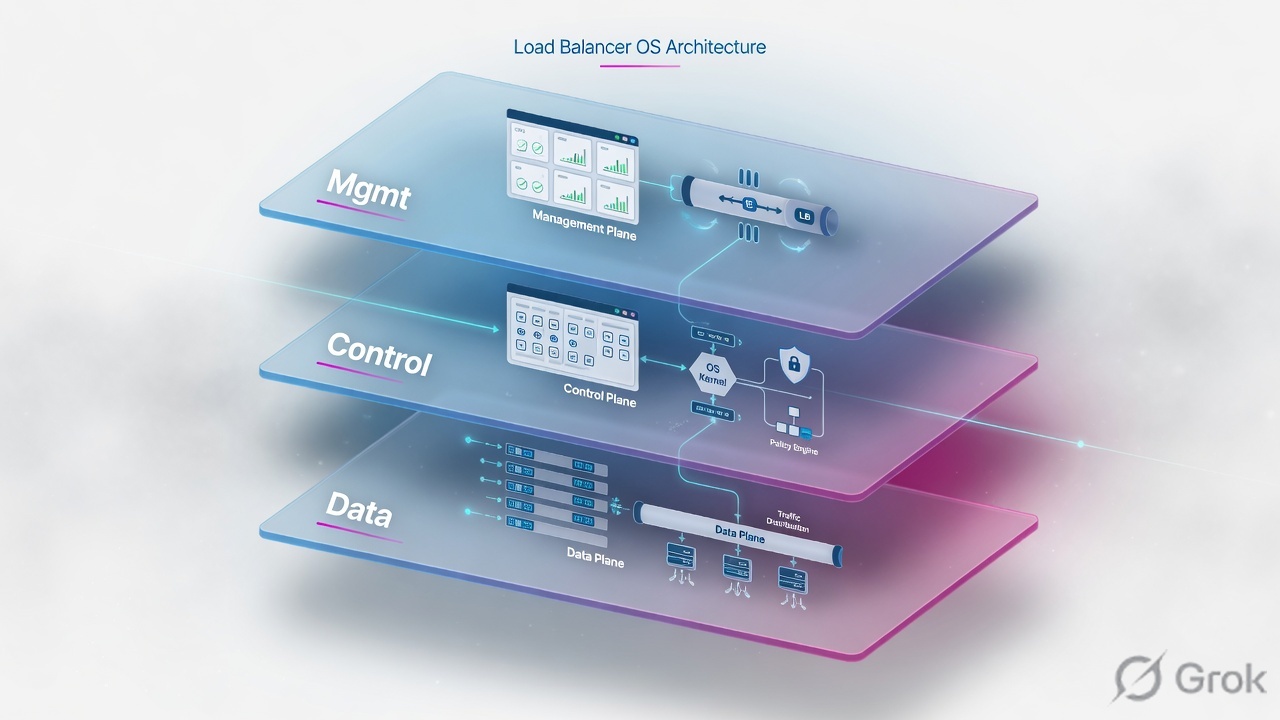
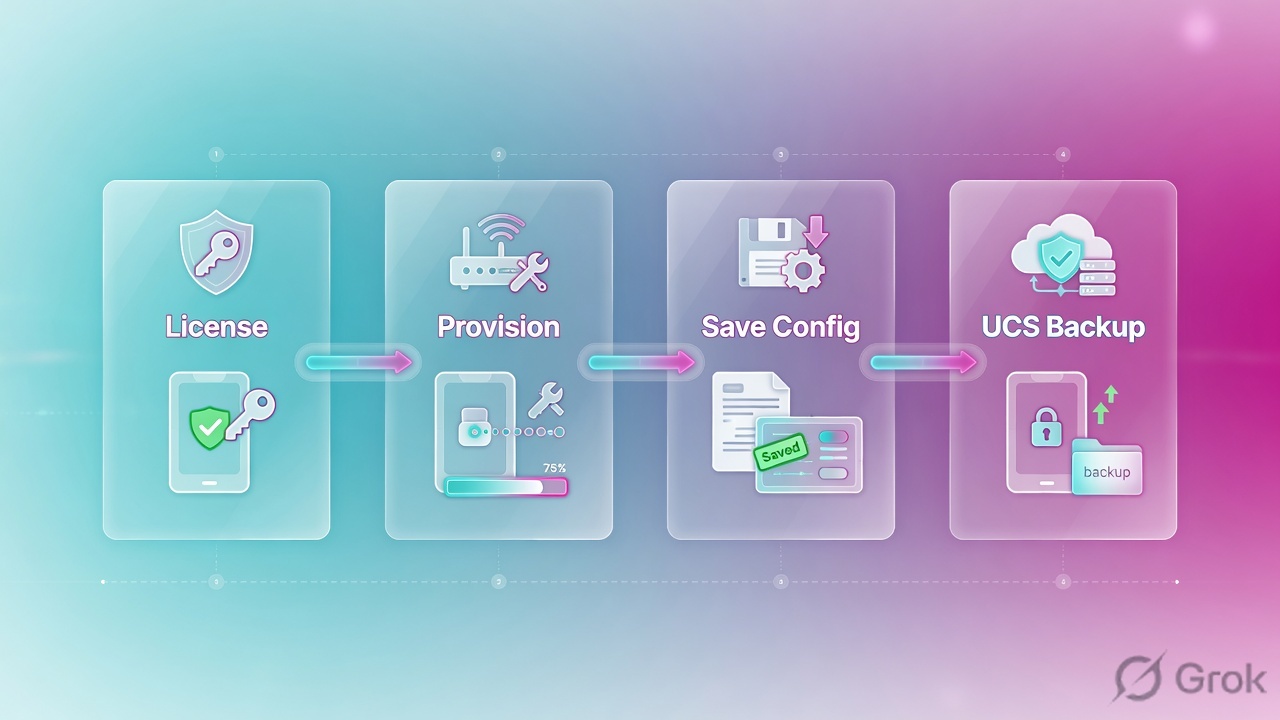
TMM processes application traffic. MCPD validates and pushes configuration. The Management IP is out-of-band admin only. License, then provision LTM, then save to disk, then take a UCS. Config in memory is not a backup.
Provision puts CPU and RAM on a licensed module. Licensing without provisioning leaves LTM dark. Saving config writes memory to disk. UCS is the restore image — including keys.
Mental model: ADC, TMOS, TMM, MCPD
A traditional Layer-4 load balancer forwards on IP and port. An Application Delivery Controller (ADC) works at Layers 4–7: SSL, HTTP, persistence, health, iRules. F5 BIG-IP LTM is that ADC. Physical appliances, Virtual Edition on ESXi/KVM/Hyper-V, and public-cloud images all run the same TMOS idea.
Admin input never becomes a packet. MCPD writes the config DB; TMM applies it to live traffic.
TMOS (Traffic Management Operating System) is the glue: Linux host + TMM + MCPD + GUI + TMSH. The Linux host gives you Bash and files. It does not load-balance HTTPS. Interview line from the PDF: “What processes application traffic — TMM or MCPD?” Answer: TMM.
| Plane | Interface / IP | Carries |
|---|---|---|
| Management | mgmt NIC · Management IP e.g. 192.168.100.10 | HTTPS GUI, SSH, iControl REST, licensing |
| Control / config | MCPD + config DB | Object create/modify, HA sync of config |
| Data | Self IPs + VIPs on VLANs | Client ↔ TMM ↔ pool member |
Management IP vs Self IP vs VIP
| Management IP | Self IP | Virtual IP | |
|---|---|---|---|
| Purpose | Admin the box | BIG-IP's own address on a VLAN | Client-facing listener |
| GUI path | System > Platform | Network > Self IPs | Local Traffic > Virtual Servers |
| App traffic? | No | Yes (TMM) | Yes (VS match) |
| HA | Not the floating app IP | Floating Self IP moves with traffic group | VIP floats with the same group |
Never use a Self IP as the client-facing application address. Never route production traffic through mgmt. Module 2 builds the VLANs; this module only locks the names.
Runbook — first-day device
Side A · platform
Hostname, DNS, NTP, time zone
GUI: System > Platform. Skip NTP and SSL certificates, HA timers, and log correlation all lie. This is the number-one first-day miss in the Module 1 PDF.
Management IP + route
Set mgmt address, mask, and management default route so https://192.168.100.10 and SSH work from the admin laptop. This path is out-of-band.
Admin password
Change default admin immediately. Prefer TMSH over raw Bash for config — MCPD must own the files.
System > License
License
Source: F5 ltm module 1.pdf · GUI path System > License. Never bypass licensing.
Side B · license then provision
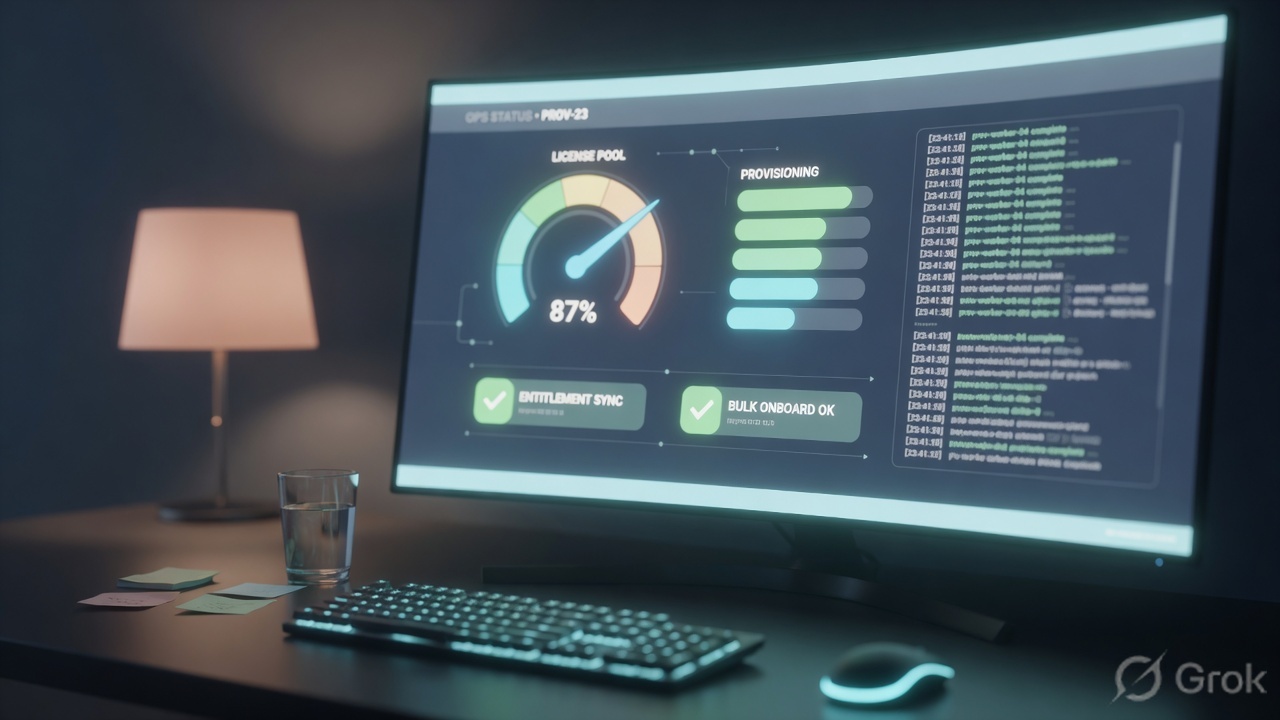
A Registration Key activates modules. After license, you still must provision. Provisioning allocates CPU, memory, and disk among licensed modules.
| Level | Meaning | When |
|---|---|---|
| None | No resources | Licensed but not needed on this box |
| Minimum | Small allocation | Lab / light auxiliary module |
| Nominal | Balanced | Typical production LTM |
| Dedicated | Maximum; other modules squeezed | One module must win |
System > Resource Provisioning
Resource Provisioning
PDF trap: provisioning APM/AFM/WAF on an LTM-only box steals TMM memory.
Side C · save and UCS
GUI and TMSH changes are live in memory. Reboot without save and they vanish. UCS is the disaster-recovery archive: config, certs/keys, users, license.
tmsh save sys config
tmsh save sys ucs /var/local/ucs/backup-$(date +%Y%m%d).ucs
tmsh list sys ucs
# restore is destructive — lab first
# tmsh load sys ucs /var/local/ucs/backup-20240101.ucs
GUI: System > Archives → Create. Store the file off-box. Restoring onto different hardware may need platform-migrate / no-license flags — test in lab. Source: BIG-IP Archives.
Access methods
| Method | Use | Avoid |
|---|---|---|
| GUI HTTPS | Day-to-day objects, first setup | Using it as the only skill in an outage |
| SSH + TMSH | Show/list/modify, scripts | Editing bigip.conf in vi |
| Bash | Logs, tcpdump, files | Unsupported config file edits that MCPD cannot track |
tmsh show sys license
tmsh show sys provision
tmsh show sys performance all-stats
tmsh show sys memory
tmsh show ltm virtual
tmsh show net self
Traps + proof
| Failure | Symptom | Proof |
|---|---|---|
| No NTP | HA oddness, SSL time errors, unusable logs | System > Platform time vs NTP peer |
| Licensed but not provisioned | LTM objects missing or module inactive | tmsh show sys provision |
| Unsaved config | Changes gone after reboot | tmsh save sys config after every real change |
| UCS only on the box | Disk dies, backup dies | Copy UCS off-box the same day |
| Bash-edited conf | MCPD / TMM disagree | Use TMSH/GUI; reload from known UCS |
- You can draw mgmt vs Self IP vs VIP on a whiteboard.
tmsh show sys licenseandtmsh show sys provisionboth look sane.- A dated UCS file exists off the device.
Knowledge check
Judgment items from Module 1 — planes, license, save, UCS.
Sources
- Techclick PDF:
F5 ltm module 1.pdf(from OneDrive_1_8-26-2026.zip, 26 Aug 2026) - Companion deck:
F5-Ltm-Training-Ppt (1).pptx.pdf - Archives: BIG-IP UCS archives
- Official lab paths: F5 cert Lab 1 — VLANs, Self IPs, pools, virtual servers
- TMSH virtual server reference: ltm virtual
- Related deep dives on this site: SSL modes · SNAT · Persistence · VS/pools · VIP down / tcpdump
Related: Course hub · Syllabus · My Courses · F5 LTM interview