Lessons · F5 LTM series · Module 2
Same lab numbers on every page: client 198.51.100.50, VIP 192.0.2.100, Self IPs 192.0.2.10 / 10.20.20.10, members 10.20.20.101–103.
- Hub · Course map
- M1 · Fundamentals & admin
- M2 · Networking & traffic flow ← you are here
- M3 · Virtual Servers & pools
- M4 · Profiles, SNAT, SSL
- M5 · Monitors, iRules, policies
- M6 · High availability
- M7 · Troubleshooting
Next → M3 · Virtual Servers & pools
Recorded course + workbooks: My Courses · syllabus F5 LTM / GTM / ASM
Wiring before Virtual Servers
Module 1 gave you a licensed box. Module 2 gives TMM a path to clients and servers. If VLANs, Self IPs, or routes are wrong, every later object looks broken: empty ARP, no pool members, mysterious timeouts.
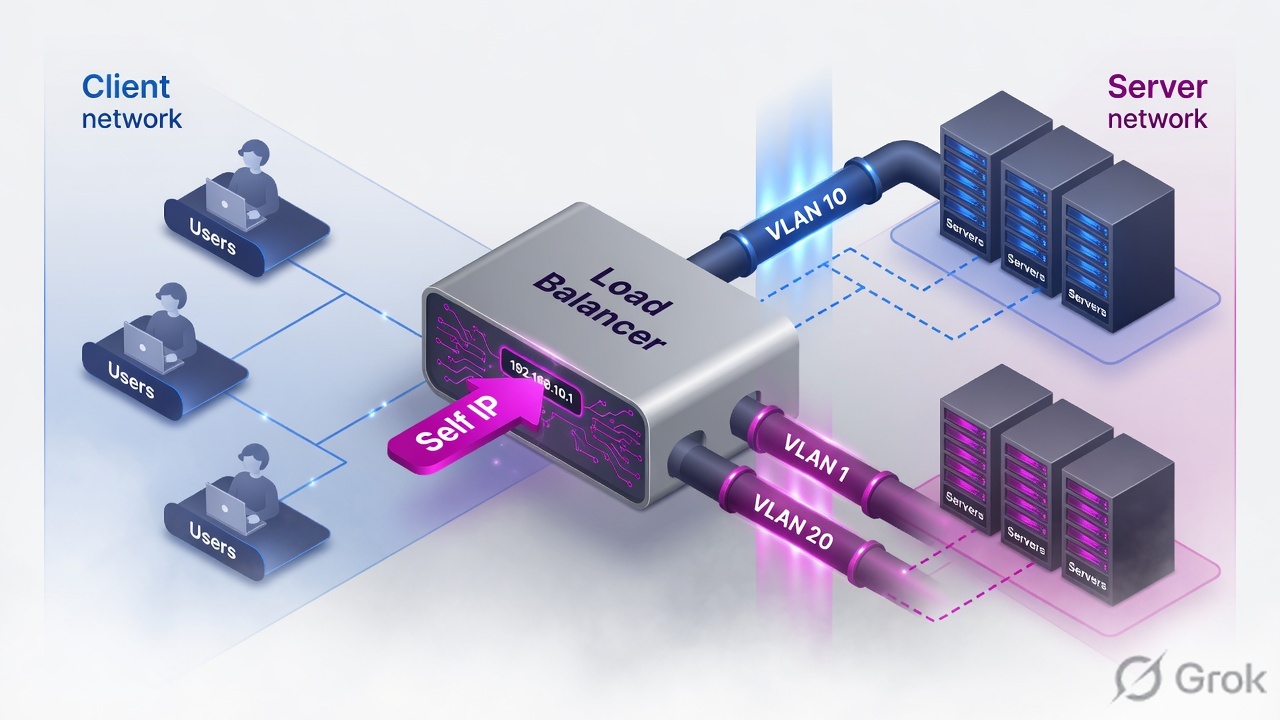
Create matching VLANs (tagged or untagged exactly as the switch), put a Self IP on each VLAN with Port Lockdown Allow Default, confirm connected routes and ARP, then — and only then — build a Virtual Server. Never put application traffic on mgmt.
Mental model
Client-side network presents the VIP. Server-side network reaches pool members. TMM terminates the client connection on the VIP and opens a new connection from a Self IP (or SNAT address) toward the server.
Auto Last Hop remembers the MAC that sent the frame so replies can return even when routing is ugly.
Port Lockdown limits services on the Self IP. It does not filter Virtual Server traffic. Allow All on a production Self IP exposes admin services to the data plane.
Tagged vs untagged, Port Lockdown, routes
| Choice | Use when | Fail mode |
|---|---|---|
| Untagged | Switch access port / untagged port-group, one VLAN | Sending 802.1Q into an access port = silent drop |
| Tagged | Trunk / 802.1Q, multiple VLANs on one NIC | Forgetting the tag on vSphere port-group |
| Allow Default | Almost every production Self IP | See version-specific default service list |
| Allow None | Self IP must not offer services | You can still publish VIPs on that VLAN |
| Allow All | Brief isolated lab only | Mgmt services reachable from app VLAN |
Runbook — two VLANs that actually pass traffic
Side A · interfaces and VLANs
See the NICs TMM owns
tmsh show net interfacethentmsh list net interface. VE: confirm the hypervisor mapping. A vNIC swapped in VMware is a classic silent fail.Create VLANs to match the switch
GUI: Network > VLANs. Lab: external untagged on 1.1, internal untagged on 1.2.
If the switch is a trunk
Use tagged + the VLAN ID the switch already uses. BIG-IP tag and switch tag must be the same number.
tmsh create net vlan external interfaces add { 1.1 { untagged } }
tmsh create net vlan internal interfaces add { 1.2 { untagged } }
# trunk example
# tmsh create net vlan external interfaces add { 1.1 { tagged } }
tmsh list net vlan
tmsh show net vlanNetwork > VLANs > Create
New VLAN
Source: BIG-IP Networking and Traffic Flow Module 2.pdf. Tag mismatch with the switch is the most common Module 2 outage.
Side B · Self IPs and Port Lockdown
tmsh create net self external_self address 192.0.2.10/24 vlan external allow-service default
tmsh create net self internal_self address 10.20.20.10/24 vlan internal allow-service default
tmsh show net self
Network > Self IPs > Create
New Self IP
Port Lockdown = services on this Self IP. Virtual Server traffic is a different control.
Side C · routes, ARP, Auto Last Hop
Connected subnets appear after Self IPs. Remote subnets need statics. Default route is for unknown destinations (often internet or a client supernet).
tmsh create net route 10.30.30.0/24 gw 10.20.20.1
tmsh create net route default gw 192.0.2.1
tmsh show net route
tmsh show net arp
Auto Last Hop records the Layer-2 MAC of the device that sent traffic to BIG-IP and sends the reply back to that MAC. It is enabled by default on most systems and saves you when the L3 return path would otherwise be asymmetric. Do not disable it as a “cleanup” step.
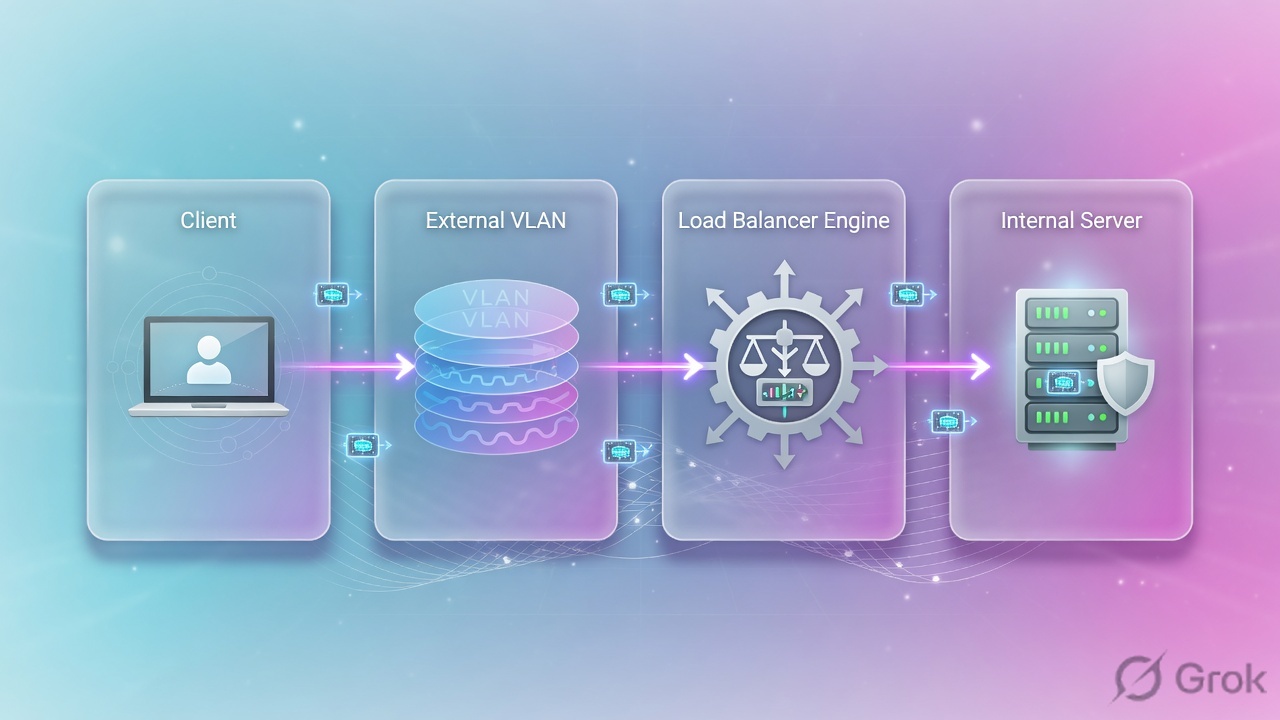
Runtime path and tcpdump
Interface 0.0 is the TMM 'all VLANs' tap. Filter by host so you can read it.
tcpdump -nni 0.0 host 198.51.100.50
tcpdump -nni external host 192.0.2.10
tcpdump -nni internal host 10.20.20.101
Traps + proof
| Failure | Symptom | First check |
|---|---|---|
| Tag mismatch | NIC up, no ARP, no traffic | Switch/port-group tag vs BIG-IP tagged/untagged |
| App on mgmt | Users cannot hit VIP | VIP and Self IP are data-plane objects |
| Allow All Self IP | Scanner finds HTTPS/SSH on app VLAN | Set Allow Default or Allow None |
| Missing default route | Outbound or remote clients blackhole | tmsh show net route |
| VE NIC swap | Traffic on the 'wrong' VLAN | tmsh show net interface vs hypervisor |
tmsh show net selfshows both Self IPs on the right VLANs.- ARP exists toward a lab server on the internal VLAN.
- You can explain Port Lockdown without mentioning Virtual Servers.
Knowledge check
Wiring questions. If you miss Port Lockdown, re-read Side B.
Sources
- Techclick PDF:
BIG-IP-Networking-and-Traffic-Flow Module 2.pdf(from OneDrive_1_8-26-2026.zip, 26 Aug 2026) - Companion deck:
F5-Ltm-Training-Ppt (1).pptx.pdf - Official lab paths: F5 cert Lab 1 — VLANs, Self IPs, pools, virtual servers
- TMSH virtual server reference: ltm virtual
- Related deep dives on this site: SSL modes · SNAT · Persistence · VS/pools · VIP down / tcpdump
Related: Course hub · Syllabus · My Courses · F5 LTM interview