Lessons · F5 LTM series · Module 3
Same lab numbers on every page: client 198.51.100.50, VIP 192.0.2.100, Self IPs 192.0.2.10 / 10.20.20.10, members 10.20.20.101–103.
- Hub · Course map
- M1 · Fundamentals & admin
- M2 · Networking & traffic flow
- M3 · Virtual Servers & pools ← you are here
- M4 · Profiles, SNAT, SSL
- M5 · Monitors, iRules, policies
- M6 · High availability
- M7 · Troubleshooting
Next → M4 · Profiles, SNAT, SSL
Recorded course + workbooks: My Courses · syllabus F5 LTM / GTM / ASM
Publishing the application
Module 2 made the box reachable. Module 3 publishes an application: Node → Pool Member → Pool → Virtual Server. Ticket: “VIP is up, pool is empty, users get a reset.” Someone created a Virtual Server without a pool, or named the VIP and thought that was load balancing.
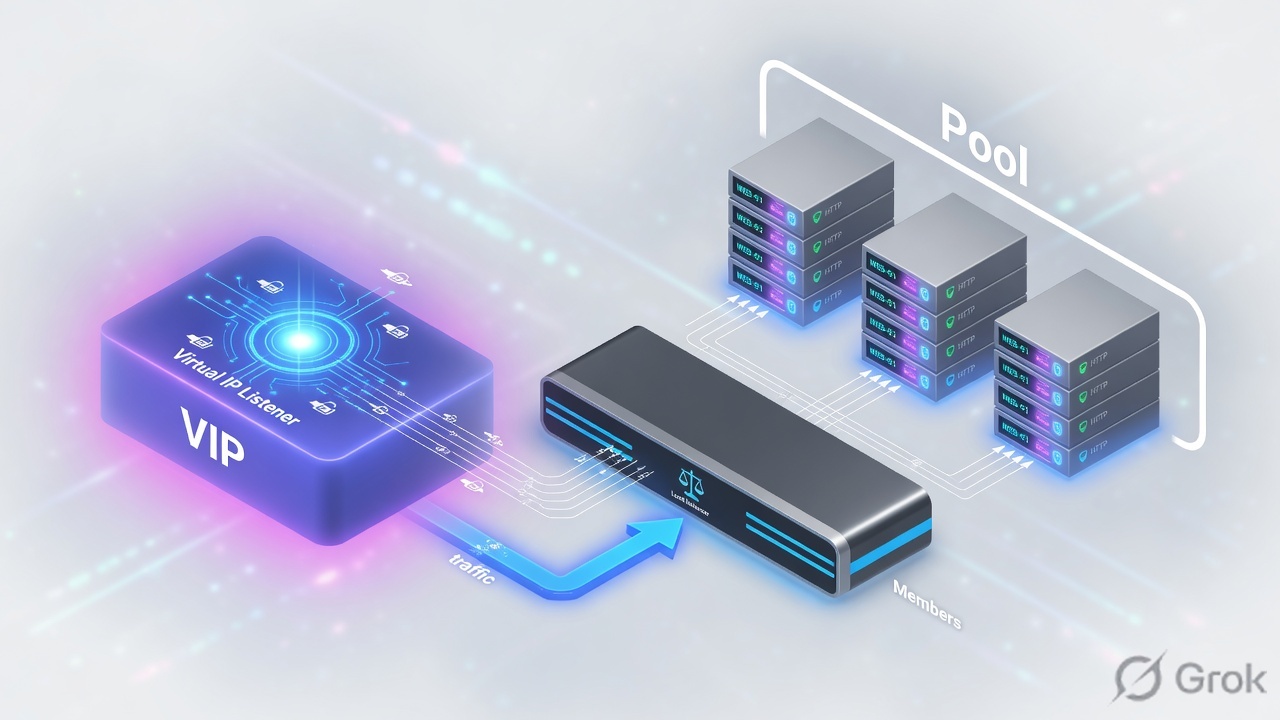
A node is an IP. A pool member is IP:port. A pool is the group plus algorithm plus monitor. A Virtual Server matches destination IP + port + protocol (and VLAN) and then uses that pool. Standard VS = full proxy, two TCP sessions.
Object hierarchy
Build bottom-up: nodes/members, then pool, then VS. Deleting a node still in a pool will refuse.
Clients send to the Virtual Server destination. BIG-IP does not “become” 10.20.20.101. It selects a member and builds a server-side connection.
Load-balancing methods
| Method | Picks | Use when |
|---|---|---|
| Round Robin | Next member in order | Equal servers, easy lab proof |
| Ratio | Weighted members | Unequal capacity |
| Least Connections | Member with fewest live connections | Long-lived sessions, mixed object sizes |
| Priority Group | Higher group first until min-members | N+M: keep backups idle until primaries die |
| Fastest / Observed / Predictive | Dynamic samples | Only after you understand the metric — Module 3 PDF flags these as advanced |
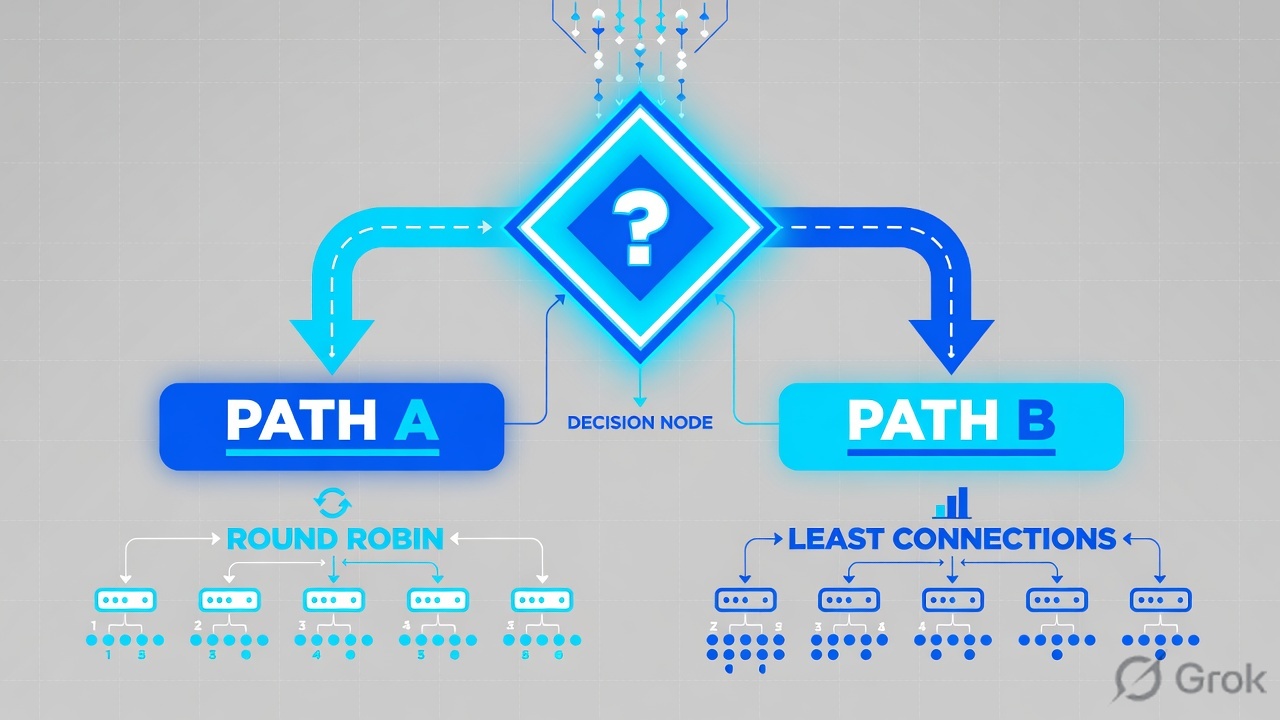
Also set Slow Ramp Time so a member just marked up does not eat every new connection, and connection limits so one server cannot be drowned. Priority Group Activation needs a minimum-active-members number or the backup group never engages.
Runbook — first HTTPS (or HTTP lab) Virtual Server
Side A · node and pool
Create or confirm nodes
GUI: Local Traffic → Nodes → Node List. A node can exist without being in a pool; a member cannot.
Create the pool
Local Traffic → Pools → Pool List → Create. Name WEB_POOL. Add 10.20.20.101–103 with the real service port.
Attach a monitor later
Module 5 builds the HTTP monitor. For this module a TCP monitor is enough to prove L4. Do not pretend ICMP means the app works.
tmsh create ltm pool WEB_POOL monitor tcp load-balancing-mode round-robin members add { 10.20.20.101:80 10.20.20.102:80 10.20.20.103:80 }
tmsh list ltm pool WEB_POOL
tmsh show ltm pool WEB_POOL membersLocal Traffic > Pools > Pool List > Create
New Pool
Source: F5-BIG-IP-LTM-Module-3.pdf and F5 cert Lab 1.
Side B · Virtual Server
Local Traffic > Virtual Servers > Virtual Server List > Create
New Virtual Server
More-specific VS wins: longer mask, explicit port, explicit VLAN. A :443 VS will not catch :8443.
tmsh create ltm virtual vs_web_http destination 192.0.2.100:80 ip-protocol tcp pool WEB_POOL source-address-translation { type automap }
tmsh list ltm virtual vs_web_http
tmsh show ltm virtual vs_web_http
Side C · verify without lying to yourself
Browser refresh is not a load-balancing test — it reuses the TCP connection. Open a new connection per request (curl in a loop, or disable keep-alive).
curl -sv --http1.0 http://192.0.2.100/ | head
tmsh show ltm virtual vs_web_http
tmsh show ltm pool WEB_POOL members
tcpdump -nni 0.0 host 192.0.2.100
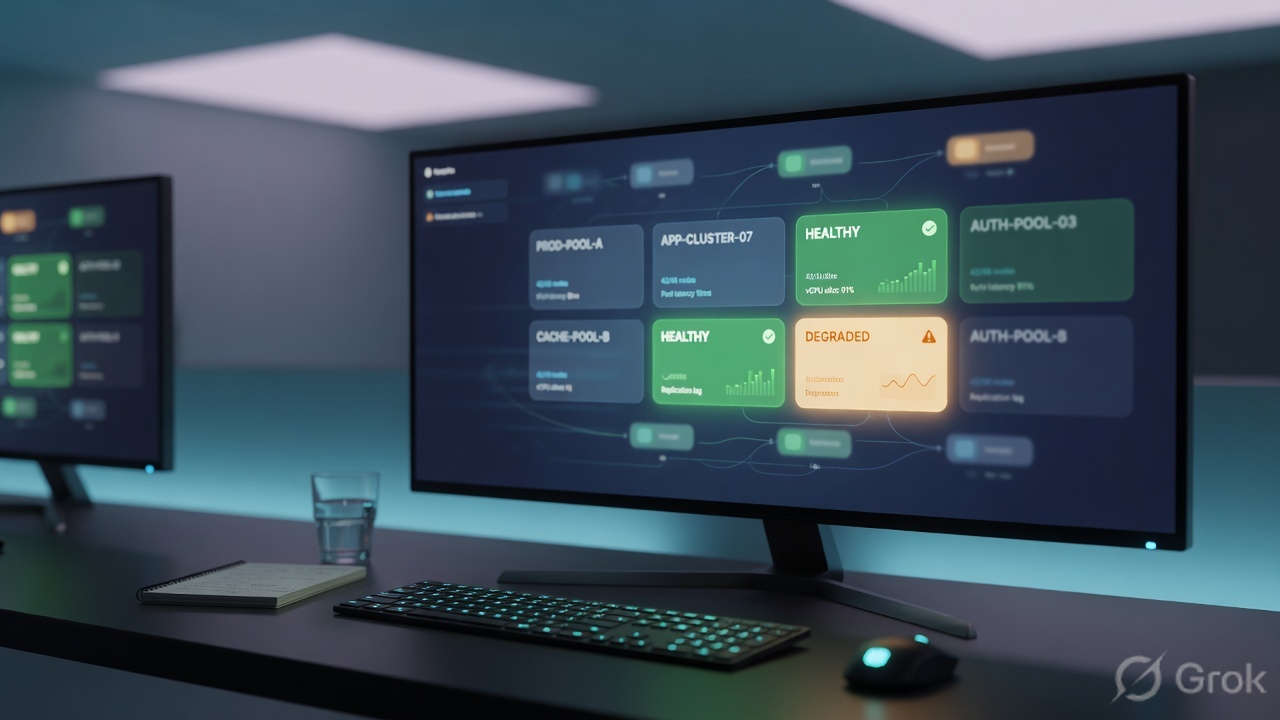
Runtime after VS match
Standard VS = two sessions. FastL4 is a different type — do not mix the mental model.
Traps + proof
| Failure | Symptom | Fix |
|---|---|---|
| Said 'the VIP' meaning the pool | Wrong object in the change window | Name VS, pool, member separately |
| Port mismatch | Client 443, VS 8443, no stats | tmsh list ltm virtual destination |
| No pool attached | VS enabled, RST or timeout | Default pool field |
| Browser keep-alive | Always hits one member | curl --http1.0 in a loop |
| Member :80 vs app :443 | Monitor up, HTTP garbage | Member port is the service port, not the VIP port |
- You can draw Node vs Member vs Pool vs VS from memory.
tmsh show ltm virtualincrements on each new curl.- You know when to use Priority Groups vs Least Connections.
Knowledge check
Object words matter on a bridge call.
Sources
- Techclick PDF:
F5-BIG-IP-LTM-Module-3.pdf(from OneDrive_1_8-26-2026.zip, 26 Aug 2026) - Companion deck:
F5-Ltm-Training-Ppt (1).pptx.pdf - Official lab paths: F5 cert Lab 1 — VLANs, Self IPs, pools, virtual servers
- TMSH virtual server reference: ltm virtual
- Related deep dives on this site: SSL modes · SNAT · Persistence · VS/pools · VIP down / tcpdump
Related: Course hub · Syllabus · My Courses · F5 LTM interview